You may find two chargers rated at 45W, yet your phone charges at full speed with one and noticeably slower with the other.
The reason is simple: charging speed does not depend on wattage alone.
Another factor is just as important: the charging protocol supported by both the device and the charger.
This is where terms such as USB Power Delivery, or PD, PPS, and Quick Charge, or QC, come into play. Although all of them are related to fast charging, they are not different names for the same technology.
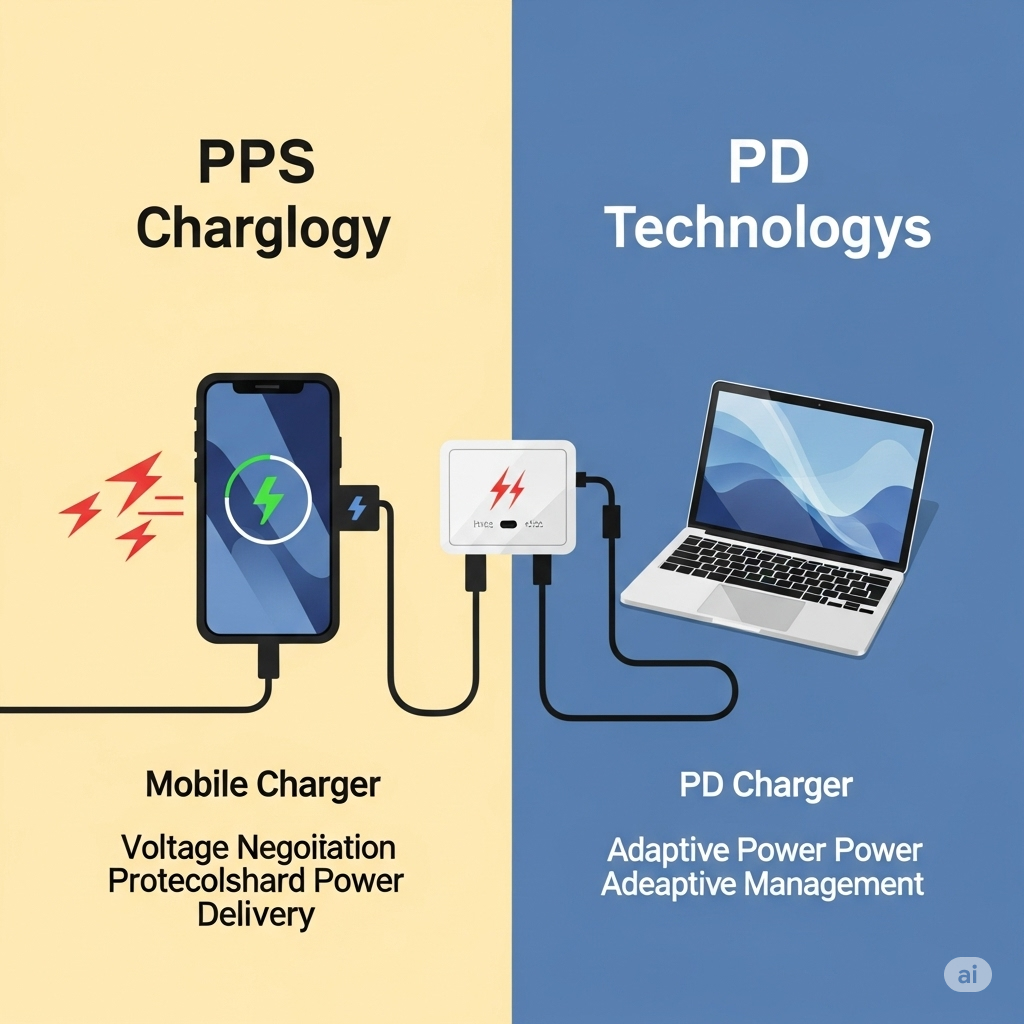
One important distinction should be clear from the beginning: PPS is not a competing technology to PD. It is a feature that works within the USB Power Delivery ecosystem. Quick Charge, on the other hand, is a fast-charging technology developed by Qualcomm.
So, if you are buying a new charger, the right question is not only:
“How many watts does it provide?”
You should also ask:
“Does it support the charging protocol my device actually needs?”
PD vs PPS vs Quick Charge: The Quick Answer
If you want the simplest explanation, this table gives you the main differences:
|
Technology |
What Is It? |
Main Advantage |
When Does It Matter? |
|
USB PD |
A standard for managing and delivering power over USB |
Broad compatibility across different devices and power levels |
Phones, tablets, laptops, and USB-C devices |
|
PPS |
A feature within USB Power Delivery |
Allows more flexible adjustment of voltage and current |
Compatible devices that can benefit from PPS charging |
|
Quick Charge |
A fast-charging technology developed by Qualcomm |
Designed to provide fast charging for compatible devices |
Phones and devices that support compatible QC versions |
The most important thing to remember is that the comparison is not simply:
PD vs PPS vs QC
PD and PPS are closely related because PPS is part of the USB Power Delivery ecosystem, while Quick Charge is a separate family of fast-charging technologies.
What Is USB Power Delivery or PD?
USB Power Delivery, commonly known as USB PD, is a standard designed to manage and deliver power over USB.
Its main advantage is flexibility. Instead of relying on one fixed charging level, compatible devices and chargers can work with different power levels depending on what each side supports.
That is why USB PD is now used across a wide range of devices, from smartphones and tablets to laptops.
As the standard has evolved, USB Power Delivery has become capable of handling much higher power levels, making USB-C useful for far more than basic phone charging.
What Are the Main Advantages of USB PD?
One of the biggest reasons for the popularity of USB PD is its versatility.
A compatible USB PD charger may work with several types of devices, as long as the charger, device, and cable all support the required power and charging profile.
USB Power Delivery is commonly used with:
-
Smartphones
-
Tablets
-
Laptops
-
Multi-port chargers
-
Power banks
-
Many modern USB-C devices
What Is the Difference Between USB-C and USB PD?
One of the most common mistakes is assuming that USB-C and USB PD are the same thing.
They are not.
USB-C is the connector type.
While:
USB Power Delivery is a power-management standard.
So, simply seeing a USB-C port does not tell you everything about the charging capabilities of the device or charger.
That is also why two chargers can both have USB-C ports while offering very different charging performance.
This distinction becomes even more important with laptops because the presence of a USB-C port does not always mean that every USB-C port on the laptop supports charging input.
Read also: Best USB-C Laptop Charger
What Is PPS?
PPS stands for:
Programmable Power Supply
It is a feature within USB Power Delivery rather than a separate charging protocol that competes with PD.
That distinction is important because asking:
“PD or PPS?”
is not completely accurate.
A better question is:
“Do I need a USB PD charger that also supports PPS?”
PPS allows compatible devices to request more precise changes in voltage and current during the charging process.
How Does PPS Work?
A phone does not necessarily need the same amount of power throughout the entire charging cycle.
Battery level, temperature, device activity, and other factors can affect how much power should be delivered at any given moment.
This is where PPS becomes useful.
Instead of relying only on fixed voltage levels, PPS allows a compatible device to request more precise adjustments in voltage and current within the range supported by the charger.
This can make power delivery more flexible for compatible devices.
However, simply buying a charger labeled “PPS” does not automatically make every phone charge faster. The phone itself must also support and benefit from PPS.
Why Is PPS Important for Samsung Phones?
If you use certain Samsung Galaxy devices that support Super Fast Charging, PPS becomes an important specification to check.
Some Samsung charging solutions rely on USB PD together with PPS to reach the charging mode supported by the device.
This is where many people make a common mistake.
They see:
45W
and assume that any 45W charger will provide the same charging experience.
But wattage alone does not tell the full story.
You also need to consider:
Phone Support + PD + PPS + Wattage + Cable
So, if you are buying a charger for a Galaxy phone, do not search only for “45W charger.”
Check the charging protocols supported by both the phone and the charger.
Read also: Best Samsung Charger in Jordan
What Is Quick Charge?
Quick Charge, or QC, is a family of fast-charging technologies developed by Qualcomm.
The basic idea is to allow compatible devices to charge faster than traditional charging methods by managing power according to the capabilities supported by the charger and device.
Quick Charge has evolved through several generations, which is why you may see labels such as:
QC 3.0
or newer Quick Charge versions on charger specifications.
However, the words “Quick Charge” alone do not guarantee the maximum possible charging speed for your phone.
What matters is compatibility between the charger, the device, and the version of Quick Charge being used.
Is Quick Charge the Same as USB PD?
No.
Quick Charge and USB Power Delivery are not two names for the same technology.
USB PD is a USB power-delivery standard, while Quick Charge is a fast-charging technology developed by Qualcomm.
However, modern chargers can support multiple protocols at the same time.
That is why you may see a charger listed with:
PD + PPS + QC
instead of supporting only one charging protocol.
PD vs PPS vs Quick Charge: Direct Comparison
Now that each technology is clearer, the comparison becomes easier:
|
Factor |
USB PD |
PPS |
Quick Charge |
|
Full Name |
USB Power Delivery |
Programmable Power Supply |
Qualcomm Quick Charge |
|
Type |
Power-management standard |
Feature within USB PD |
Fast-charging technology |
|
Associated With |
USB-IF |
USB Power Delivery |
Qualcomm |
|
Usage |
Very broad |
PPS-compatible devices |
QC-compatible devices |
|
Smartphones |
Yes |
Yes |
Yes |
|
Tablets |
Yes |
Yes, depending on device |
Depends on device |
|
Laptops |
Very important for compatible USB-C laptops |
Depends on device |
Not the primary use case |
|
Samsung Super Fast Charging |
Important |
Important on compatible devices |
Not the main standard |
|
Best Choice |
Depends on device |
Depends on device support |
Depends on device support |
The key takeaway is simple:
There is no single charging protocol that is “best” for every device.
The best protocol is the one your device can actually use.
Is PPS Better Than PD?
This is a common question, but it needs to be reframed.
PPS is not a replacement for PD.
It works within USB Power Delivery.
So the more accurate question is:
Do I need a PD charger that supports PPS, or is regular PD enough?
The answer depends on your device.
If your phone requires PPS to reach a certain charging mode, then PPS support becomes important.
If your device does not use PPS, then adding PPS to the charger will not magically make it charge faster.
Is PD Better Than Quick Charge?
There is no single answer that applies to every device.
If your device is designed to use USB Power Delivery, then PD is the important protocol to look for.
If your device relies on Quick Charge to reach its intended charging mode, then compatible QC support becomes more relevant.
If you want one charger for:
Phone + Tablet + Laptop
USB PD is often one of the most useful specifications because it is widely used across different USB-C device categories.
But the core rule remains:
Do not choose the protocol because of its name. Choose the one your device supports.
Can a Charger Support PD, PPS, and Quick Charge at the Same Time?
Yes.
Many modern chargers support several fast-charging protocols, which can be especially useful if you use devices from different brands.
For example, you may have a Samsung phone, another Android device, and a USB-C laptop and want to use one charger for all of them.
In that case, a multi-protocol charger may offer more flexibility.
However, do not choose a charger just because it has a long list of abbreviations on the box.
You should also check:
-
Maximum charger output
-
Output per port
-
Supported protocol per port
-
Cable capability
-
Power distribution when multiple devices are connected
Which Charging Technology Does Your Phone Need?
Instead of choosing the charger first, start with the device.
This is the easiest and most accurate approach.
If You Use a Samsung Galaxy Phone
Check the exact Galaxy model.
If it supports Samsung Super Fast Charging through USB PD and PPS, look for a charger that provides the required protocol and power level rather than buying based only on whether it says 25W or 45W.
The key combination is:
PD + PPS + Correct Wattage + Correct Cable
If You Use an iPhone
You do not need to look for Quick Charge simply because you want fast charging.
The important step is to review the fast-charging requirements of your exact iPhone model and choose a compatible USB-C charger.
Read also: Best iPhone Charger in Jordan
If You Use Another Android Phone
There is no single answer.
The Android ecosystem includes devices that use USB PD, PPS, Quick Charge, and proprietary charging technologies developed by individual brands.
So, search for:
Phone Model + Maximum Charging Wattage + Supported Charging Protocol
instead of choosing a charger based only on the phone brand.
If You Are Charging a Laptop
For compatible USB-C laptops, USB Power Delivery is one of the most important specifications to check.
You also need the correct wattage.
A laptop that needs 100W will not automatically be well served by a 45W charger just because both support USB PD.
Read also: Best USB-C Laptop Charger
How Do You Know Which Charging Protocol Your Device Supports?
You do not need to guess based on the charger design or connector.
Follow these steps:
-
Identify the exact device model
-
Open the manufacturer’s official specifications
-
Look for Fast Charging or Charging Specifications
-
Check the maximum supported wattage
-
Look for USB PD, PPS, or Quick Charge support
-
Review the cable requirements
-
Then compare the charger specifications
A useful formula is:
Device + Charging Protocol + Wattage + Charger + Cable = Actual Charging Performance
If one part of that setup is incompatible, you may not reach the charging speed you expected.
Is Wattage More Important Than PD, PPS, or Quick Charge?
No.
And the protocol is not more important than wattage either.
Both must match the device.
For example:
Charger A: 65W but does not support the required protocol
and:
Charger B: 45W and supports the exact protocol and power level your phone needs
It would be wrong to choose Charger A automatically just because the number is higher.
That is why:
Higher Wattage ≠ Faster Charging in Every Case
A phone has a maximum charging input and also needs a compatible charging method to reach the modes it supports.
Is a 65W Charger Faster Than a 45W Charger?
Not necessarily.
If your phone can accept a maximum of 45W, then using a 65W charger will not automatically make it charge at 65W.
A 65W charger may still be more useful if you also want to charge a laptop or tablet, but that is different from increasing the charging speed of the phone itself.
When comparing chargers, ask:
How much power does the device need?
before asking:
How much can the charger provide?
Does the Cable Affect PD, PPS, and Fast Charging?
Yes.
The charger is only one part of the charging setup.
If both the charger and device support higher charging power but the cable is not suitable, you may not get the expected performance.
Check:
-
Cable power rating
-
Connection type
-
Device specifications
-
Fast-charging requirements
Do not spend money on a powerful charger and then treat the cable as an unimportant detail.
Read also: Best Fast-Charging Cables
What Is the Difference Between GaN, PD, and PPS?
This is another common source of confusion because these terms often appear on the same charger.
But GaN is not a charging protocol like PD.
GaN refers to a semiconductor technology used in the design of some chargers. It can help manufacturers build compact chargers that deliver high power.
Meanwhile:
PD, PPS, and Quick Charge are related to how power is delivered and how compatible devices communicate with the charger.
That means one charger can be:
GaN + USB PD + PPS + Quick Charge
without any contradiction.
If you travel frequently or carry your charger every day, GaN may be useful because of the smaller form factor.
However, do not buy a GaN charger before checking whether its power output and charging protocols match your devices.
Read also: Best GaN Chargers in Jordan
How to Choose the Right Charger Based on Charging Technology
Instead of trying to memorize every abbreviation, connect the buying decision to the device you actually use.
Choose a PD Charger If...
Your device supports USB Power Delivery, especially if you use modern phones, tablets, or compatible USB-C laptops.
You should still check the wattage because PD support alone does not mean the charger provides enough power for every device.
Choose a PD Charger With PPS If...
Your phone or device needs PPS to reach the desired charging mode.
This can be especially important for compatible devices that rely on PPS as part of their fast-charging implementation.
Look for Quick Charge If...
Your device is designed to benefit from a compatible version of Quick Charge.
Do not buy a QC charger just because the name sounds fast. Check the phone specifications first.
Choose a Multi-Protocol Charger If...
You use several devices with different charging requirements and want to reduce the number of chargers you carry.
A charger that supports several protocols can be very practical in that situation.
Just pay attention to power distribution if it has multiple ports.
Do You Need a Charger That Supports Every Charging Protocol?
No.
A charger that supports PD, PPS, QC, and several other protocols can be useful, but it is not necessary for every user.
If all your devices rely on USB PD, you may never benefit from some of the additional protocols.
On the other hand, if you use:
Samsung + Laptop + Tablet + Other Devices
a multi-protocol charger can offer more flexibility.
The goal is not to buy the charger with the longest feature list.
The goal is to buy the charger that matches the devices you actually use.
What About Multi-Port Chargers?
A multi-port charger can be an excellent solution if you want to charge your phone, tablet, and laptop from one adapter.
However, there is one important detail:
The total charger wattage is not always the wattage available from every port.
For example, a 100W charger may provide its full output from one USB-C port when used alone, then divide the power once you connect another device.
So, when buying a multi-port charger, check:
Total Wattage + Output Per Port + Supported Protocols + Power Distribution
This is especially important if you plan to charge a laptop and phone at the same time.
Common Mistakes When Choosing a Fast Charger
One of the most common mistakes is choosing a charger based only on the highest wattage number.
Other common mistakes include:
-
Assuming PPS competes with PD
-
Assuming every USB-C port has the same charging capabilities
-
Treating all 45W chargers as equal
-
Buying a QC charger without checking what the phone supports
-
Ignoring PPS when a device needs it for a specific charging mode
-
Ignoring cable capability
-
Confusing charger maximum output with device maximum input
-
Failing to check the output of individual charger ports
-
Ignoring power distribution on multi-port chargers
-
Assuming “Fast Charger” automatically means maximum charging speed
-
Buying far more wattage than the device can actually use
Avoiding these mistakes makes the charger selection process much easier.
How to Choose the Right Charger Before Buying
Before adding any charger to your cart, go through this checklist:
-
Identify the exact device model
-
Check the maximum charging wattage
-
Find out which charging protocol it supports
-
Does it support USB PD?
-
Does it need PPS?
-
Does it benefit from Quick Charge?
-
Check the output of the charger port itself
-
Choose the correct cable
-
If it is a multi-port charger, check power distribution
-
Consider the other devices you want to charge
-
Choose a reliable brand
-
Do not pay extra for protocols or wattage you will never use
If you follow these steps, you move from asking:
“What is the most powerful charger?”
to asking the much more useful question:
“Which charger is most compatible with my devices?”
That is the better buying decision.
Where to Find PD, PPS, and Quick Charge Chargers in Jordan
If you are looking for a new charger, do not compare products based only on price or wattage.
Start with your device, then compare:
Device Compatibility + PD/PPS/QC + Wattage + Ports + Cable
On Cart, you can compare different charging options and choose a charger based on your phone, tablet, or laptop requirements instead of paying for extra power your device cannot use.
Identify your device model and supported charging technology first, then compare the chargers available on Cart based on protocol, wattage, and number of ports.
Explore Chargers and Charging Accessories on Cart
FAQs About PD, PPS, and Quick Charge
What Is the Difference Between PD, PPS, and Quick Charge?
USB PD is a standard for managing and delivering power over USB. PPS is a feature within USB Power Delivery that allows more flexible voltage and current adjustment. Quick Charge is a fast-charging technology developed by Qualcomm.
Is PPS Better Than PD?
PPS is not a replacement for PD. It works within the USB Power Delivery ecosystem. The more useful question is whether your device needs a PD charger that also supports PPS.
Is PPS Part of USB PD?
Yes. PPS is a feature within the USB Power Delivery ecosystem and requires compatible devices and chargers to be useful.
Do All PD Chargers Support PPS?
No. If your device requires PPS, look for PPS support specifically in the charger specifications.
Do All USB-C Chargers Support PD?
No. USB-C describes the connector type, while USB Power Delivery describes the power-management system. Always check the product specifications.
Is Quick Charge Better Than PD?
It depends on the device. If your phone uses Quick Charge, compatible QC support is important. If it uses USB PD, PD should be the priority. There is no single protocol that is best for every device.
Can One Charger Support PD, PPS, and Quick Charge?
Yes. Many modern chargers support multiple charging protocols, which can be useful if you charge devices from different brands.
Does Samsung Need PD or PPS?
It depends on the Galaxy model and charging mode. Some Samsung Super Fast Charging implementations rely on USB PD with PPS, so you should check the exact phone and charger specifications.
Is a 65W Charger Faster Than a 45W Charger?
Not necessarily. If the device only supports up to 45W, using a 65W charger will not automatically make it charge faster.
Does PPS Make Charging Faster?
PPS can provide more flexible power management for compatible devices, but actual charging speed still depends on the phone, charger, cable, and supported wattage.
Does the Cable Affect Fast Charging?
Yes. The cable needs to support the required power and charging setup. A powerful charger paired with an unsuitable cable may not deliver the expected performance.
Is GaN the Same as PD?
No. GaN is a technology used in charger hardware, while USB PD is a power-delivery standard. A GaN charger can support PD, PPS, Quick Charge, and other protocols.
What Is the Best Fast-Charging Technology?
There is no single best technology for every device. The best choice is the protocol your device supports, combined with the correct wattage and cable.
Conclusion: Don’t Look for the “Best” Technology—Look for the One Your Device Supports
Once you understand the difference between PD, PPS, and Quick Charge, choosing a charger becomes much simpler.
USB PD is a widely used power-delivery standard that works across many device categories, from smartphones to laptops.
PPS is not a competitor to PD. It is a feature within USB Power Delivery that allows more flexible power adjustment for compatible devices.
Quick Charge is a family of fast-charging technologies developed by Qualcomm, and its usefulness depends on compatibility between the charger and device.
So, do not base your buying decision on the words “Fast Charger” or the highest wattage printed on the box.
Start with this order:
Device → Charging Protocol → Wattage → Charger → Cable
That way, you choose a charger your device can actually benefit from instead of paying extra for power or protocols you do not need.
Now that you know the difference between these charging technologies, identify what your device supports and choose a charger that matches both the required protocol and wattage.