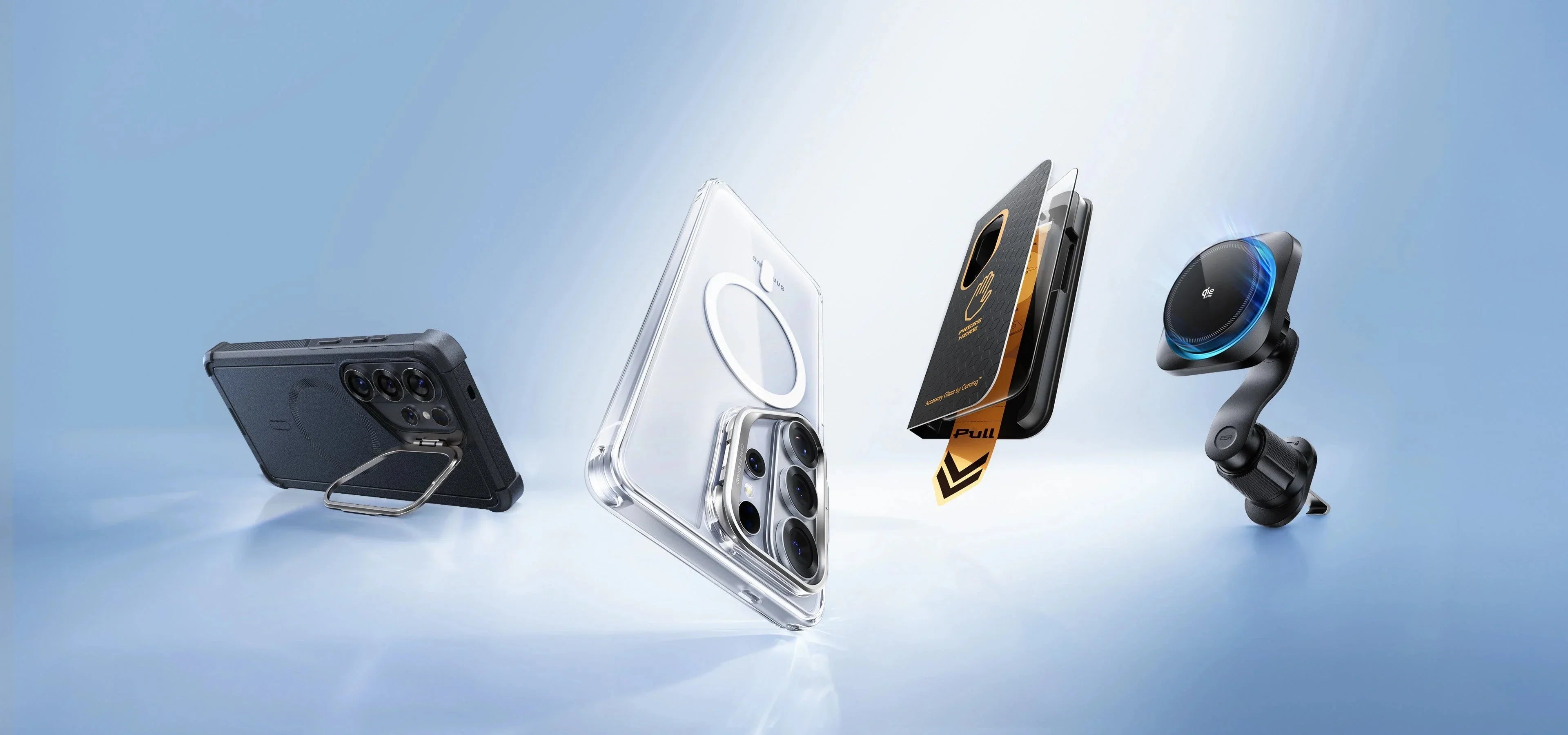
Buying a new Samsung Galaxy phone is exciting, but the phone itself may not be everything you need for the best everyday experience. Once you start using your new device, a few questions quickly come up: Do you need a new charger? Which case should you choose? Will any USB-C cable support fast charging? And do you really need a power bank, wireless charger, or Galaxy Watch?
With so many accessories available, it is easy to spend money on products you do not actually need or choose an accessory that is not fully compatible with your Galaxy model.
That is why you should not start by buying everything at once. Instead, prioritize your essential Samsung accessories in this order:
Protection → Charging → Daily Use → Galaxy Ecosystem → Extras
In this guide, we will cover the most important accessories for new Samsung users, what you should check before buying each one, and how to choose accessories that fit your specific Galaxy phone, lifestyle, and budget.
Setting up your new Samsung Galaxy?
Explore mobile accessories available on Cart and choose the products that match your device and daily needs.
What Accessories Do You Really Need With a New Samsung Phone?
Not every smartphone accessory is essential. A better approach is to divide your shopping list into three categories.
Accessories worth considering from day one:
-
A protective case designed for your model.
-
A screen protector.
-
A compatible USB-C charger.
-
A suitable charging cable.
Accessories that depend on how you use your phone:
-
Power bank.
-
Wireless charger, if your phone supports wireless charging.
-
Bluetooth headphones or earbuds.
-
Car phone mount and car charger.
Accessories that can expand your Galaxy ecosystem:
-
Galaxy Watch or another compatible smartwatch.
-
Galaxy Buds or other wireless earbuds.
-
SmartTag or another compatible smart tracker.
This approach helps you avoid spending your budget on accessories simply because they are compatible with Samsung. Instead, you can focus on products that provide genuine value in your everyday routine.
Before Buying Any Samsung Accessory, Know Your Exact Phone Model
This may sound obvious, but it is one of the most important rules when shopping for Samsung phone accessories.
The words “Compatible with Samsung” are not enough.
The Galaxy lineup includes several different families, including the Galaxy S series, Galaxy A series, and foldable Galaxy Z devices. Dimensions, charging capabilities, designs, and supported features can vary considerably from one model to another.
Your exact Galaxy model can affect your choice of:
-
Phone case.
-
Screen protector.
-
Charging wattage.
-
Wireless charging accessories.
-
Other model-specific accessories and features.
Before adding an accessory to your cart, therefore, check the full name and model of your Galaxy phone, rather than simply looking for something labeled “Samsung compatible.”
1. A Protective Case for Your Samsung Phone
A phone case is one of the first accessories worth considering when you buy a new Galaxy, especially if you rely on your phone throughout the day.
Choosing the right case, however, is about more than color and appearance.
How to Choose the Right Samsung Case
Look for a case that provides a practical balance between protection and everyday usability. Consider:
-
Raised edges around the screen where appropriate.
-
Camera-area protection.
-
Reinforced corners.
-
Grip.
-
Material.
-
Weight and thickness.
-
Exact compatibility with your Galaxy model.
-
Compatibility with the charging features you regularly use.
Cart offers a dedicated selection of cases for different Samsung Galaxy models, including options across the Galaxy S, A, and Z families.
Slim vs. Clear vs. Rugged Samsung Cases
|
Case Type |
Typical Protection |
Size |
Best For |
|
Slim Case |
Basic to moderate |
Lightweight |
Users who prefer minimal bulk |
|
Clear Case |
Varies by design |
Light to medium |
Showing the original phone design |
|
Rugged Case |
Typically higher |
Bulkier |
Users who prioritize protection |
There is no single case type that is best for everyone.
If you frequently drop your phone or use it in demanding environments, a more protective case may make sense. If keeping your phone slim and lightweight is your priority, a slim case may be more suitable.
Looking for protection that fits your Galaxy model?
Browse Samsung cases available on Cart and choose based on your exact phone model and the level of protection you need.
For more details, read Cart's guide to the best protective cases for Samsung phones in 2026.
2. A Screen Protector From Day One
Even when you use a good case, the display remains one of the most exposed parts of your smartphone.
For that reason, a screen protector can be worth installing early in your phone's life rather than waiting until the first scratch appears.
Common options include:
Tempered Glass: Adds a layer of glass protection over the display.
Film Protector: A thinner option generally used to protect against everyday scratches.
Privacy Protector: Designed to make the screen harder to view from certain side angles.
Cart offers screen protectors for a variety of smartphones, including options designed for specific Samsung Galaxy models.
Can a Screen Protector Affect the Fingerprint Sensor?
If your Galaxy phone uses an in-display fingerprint sensor, choosing a protector compatible with the specific model and sensor is particularly important.
After installation, test the fingerprint sensor to make sure it responds normally. Re-registering your fingerprints after installing the protector may also help where recommended by the device or protector instructions.
Most importantly, do not buy a screen protector based only on approximate display size. Choose one specifically designed for your exact Galaxy model.
Protect your Galaxy display from the start.
Browse screen protectors available on Cart and find an option designed for your exact phone model.
3. A Compatible USB-C Charger for Your Samsung Phone
A charger is one of the most important Samsung accessories, but it is also one of the easiest products to misunderstand.
Simply seeing a USB-C port or a large number such as 45W or 65W on the packaging does not mean your phone will automatically charge at that wattage.
Actual charging performance depends on the combination of:
Phone + Charger + Cable + Charging Protocol
What Should You Look for in a Samsung Charger?
Check:
-
USB-C connectivity.
-
The maximum charging power supported by your phone.
-
USB Power Delivery.
-
PPS where required for compatible charging modes.
-
Charger quality and built-in safety features.
-
The cable used with the charger.
For example, Cart offers the Samsung 45W PD Charger with 5A USB-C Cable. The product specifications list support for Super Fast Charging 2.0 up to 45W and PD 3.0 PDO/PPS up to 45W, alongside a USB-C cable.
However, the charging speed you actually receive still depends on the capabilities of your Galaxy device.
Do You Need a 25W or 45W Samsung Charger?
That depends on your exact Galaxy model.
If your phone does not support 45W charging, using a 45W charger does not suddenly make the device charge at 45W.
So instead of asking:
What is the most powerful charger I can buy?
Ask:
What charging wattage and technology does my Galaxy phone actually support?
Then choose your charger accordingly.
Need a charger for your new Galaxy?
Compare charging options based on your phone's supported wattage and charging technologies instead of choosing a charger based on wattage alone.
4. A USB-C Cable for Charging and Data Transfer
A cable may look like one of the simplest Samsung accessories, but it is an essential part of your charging setup.
Not every cable with a USB-C connector offers identical performance.
When choosing one, consider:
-
USB-C to USB-C or the connector combination you need.
-
Supported charging wattage.
-
Build quality.
-
Cable length.
-
Data-transfer requirements.
-
Compatibility with your phone and charger.
Are All USB-C Cables the Same?
No.
USB-C describes the connector format, but that does not mean every USB-C cable supports identical charging power or data-transfer capabilities.
If you buy a fast charger but pair it with an unsuitable cable, you may not get the charging performance you expect.
A better rule is to think of the:
Phone + Charger + Cable
as one charging system rather than three unrelated products.
5. A Power Bank for Samsung Users on the Go
If you spend long hours away from home, a power bank can quickly go from being an optional accessory to one of the products you use most often.
Choosing the right power bank, however, is not simply about buying the largest capacity available.
10,000mAh or 20,000mAh?
For everyday use, a 10,000mAh power bank often provides a practical balance between portability and capacity.
A 20,000mAh power bank may make more sense for travel, longer days, or charging multiple devices, although it will generally be larger and heavier.
When choosing a power bank for a Samsung phone, also compare:
-
USB-C.
-
Power Delivery.
-
PPS where needed.
-
Output wattage.
-
Number of ports.
-
Size and weight.
-
Power bank recharging speed.
Cart's Samsung power bank buying guide also highlights capacity, PD, PPS, and charging output as important considerations when comparing options.
Spend most of your day away from a wall charger?
Read Cart's guide to choosing the best power bank for Samsung phones and determine the capacity and charging output that fit your routine.
6. A Wireless Charger If Your Galaxy Supports It
A wireless charger can be particularly convenient on a desk or bedside table. Instead of plugging in a cable every time, you can simply place the phone on a charging pad or stand.
Before buying one, however, check one important detail:
Not every Samsung Galaxy phone supports wireless charging.
Always review the specifications of your exact model first.
Wired vs. Wireless Charging: Which Should You Choose?
There is no universal winner.
Wired Charging can be the better option when charging speed is your priority and you need to replenish your battery quickly.
Wireless Charging focuses more on convenience, particularly if you regularly pick up and put down your phone throughout the day.
Many users do not need to choose one exclusively. You might use wired fast charging when speed matters and keep a wireless charger on your desk or bedside table for convenient top-ups.
7. Wireless Earbuds or Headphones for Everyday Use
If you use your Samsung phone for music, podcasts, calls, and video, wireless earbuds or Bluetooth headphones can become some of your most frequently used accessories.
Do not make brand name your only selection criterion, though.
Compare:
-
Sound quality.
-
Comfort and fit.
-
Battery life.
-
Microphone performance.
-
ANC if you need noise cancellation.
-
Ambient or Transparency Mode where available.
-
Water resistance depending on your use.
-
Connectivity features.
Galaxy Buds can offer close integration with compatible Galaxy devices, but many Bluetooth headphones and earbuds from other brands can also work with Samsung smartphones.
If reducing background noise is a priority, compare models based on ANC performance. If calls and meetings matter more, focus on microphone and voice-pickup performance instead of judging the headphones by sound quality alone.
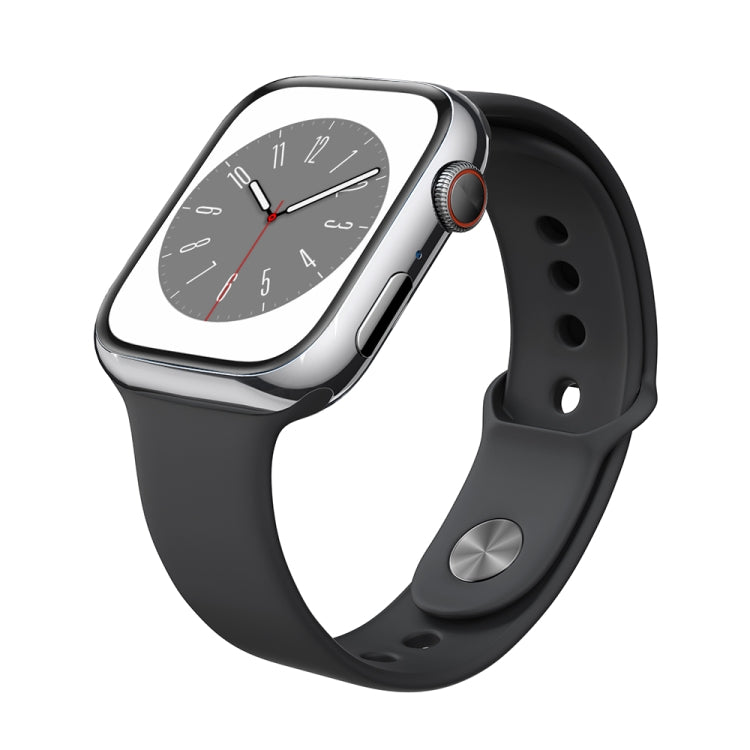
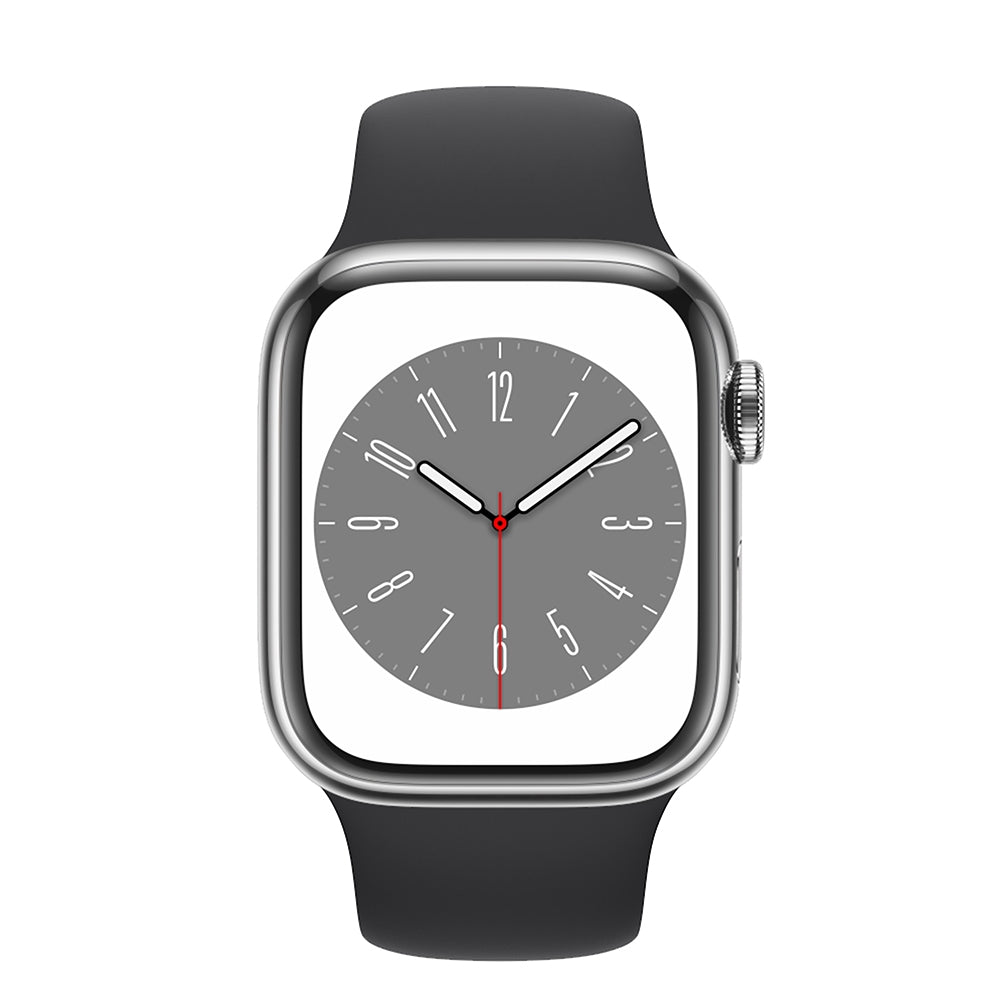
8. Galaxy Watch or Another Compatible Smartwatch
A smartwatch is not something every new Samsung user needs to buy immediately, but it can add meaningful value for certain users.
Depending on the watch, phone, and available features, a smartwatch may help with:
-
Viewing notifications.
-
Controlling certain phone functions.
-
Activity and workout tracking.
-
Available health and fitness features.
-
Music controls.
-
Managing everyday tasks from your wrist.
Do You Have to Choose a Galaxy Watch?
Not necessarily.
You can compare smartwatches from different brands that support Android. However, available functionality may vary depending on the watch, phone, companion app, and region.
Before choosing one, decide what you actually want from your smartwatch. Is your priority fitness, notifications, work, or everyday convenience?
Then compare models based on those needs.
Thinking about adding a smartwatch to your setup?
Browse Galaxy products available on Cart and compare the available options based on compatibility and the features you will actually use.
9. A Smart Tracker for Your Belongings
If you travel frequently or often misplace your keys and bags, a smart tracker may be a useful addition to your setup.
Compatible trackers can be used with items such as:
-
Keys.
-
Backpacks.
-
Luggage.
-
Other personal belongings that are easy to misplace.
Compatibility is particularly important here. Before buying a SmartTag or another smart tracker, check which phone, ecosystem, apps, and network features it requires.
The goal is not simply to own a tracker. It is to choose one whose tracking features you can actually use with your devices.
10. A Car Phone Mount
If you rely on your Galaxy phone for navigation, calls, or audio while driving, a car mount can be one of the most practical accessories to add.
When choosing a car phone mount, consider:
-
Stability.
-
Ease of mounting and removing the phone.
-
Viewing angle.
-
Compatibility with your phone size.
-
Compatibility with your phone case.
-
Installation position inside the vehicle.
Do not judge a mount solely by magnet strength or appearance. The priority is a secure and practical position that works with your setup.
11. A Car Charger for Your Samsung Phone
A mount solves the problem of where to position your phone, but if you use GPS for extended periods, you may also need a charging solution inside your car.
Look for a car charger with:
-
USB-C where required.
-
Suitable charging output for your phone.
-
Compatible charging protocols.
-
Multiple ports if you charge more than one device.
-
Reliable build quality.
Once again, a very high wattage rating does not automatically mean your phone will use all of it.
The same rule applies here:
Start with your phone's specifications, then choose the charger.
12. Additional Samsung Accessories Based on Your Needs
Once you have covered the essentials, you can consider additional accessories based on how you actually use your Galaxy phone.
Desk Stand
Useful for video calls, watching content, studying, or keeping your phone visible while working.
Tripod
A practical addition if you frequently use your Galaxy for photography, video, or content creation.
Gaming Accessories
Gaming accessories can make sense for users who spend significant time playing mobile games, but choose them according to the games you play and how you play rather than simply buying products labeled “gaming.”
USB-C Hub
A USB-C hub can be useful for certain users who want to connect displays, peripherals, or external devices.
However, check that your phone supports the functions you need, particularly if you plan to use productivity features such as Samsung DeX on compatible devices.
Best Samsung Accessories Available on Cart
If you are a new Samsung user, it is better to build your Samsung Starter Kit gradually rather than buying a random collection of accessories at once.
Here are several products and categories available on Cart that can help you get started.
Samsung Silicone Case for Galaxy S24 Ultra
If you own a Galaxy S24 Ultra and prefer a Samsung case designed specifically for the model, Cart lists Samsung case options within its Galaxy accessories selection.
Best for you if: You own an S24 Ultra and want a case designed specifically for your phone model.
Start protecting your phone from day one.
Browse Samsung cases on Cart and choose the case designed for your exact Galaxy model.
Samsung 45W PD Charger With 5A USB-C Cable
This option combines the charger and cable in one package. According to the product specifications, it supports PD 3.0 PDO/PPS up to 45W and Super Fast Charging 2.0 up to 45W and includes a 5A USB-C cable.
Before buying, check the maximum charging capabilities of your Galaxy phone so you know whether you will actually benefit from 45W charging.
Best for you if: Your device supports the charging technologies and power offered by the charger.
Need a charger and cable for your Galaxy?
Explore the Samsung 45W PD Charger with 5A USB-C Cable on Cart and check compatibility with your device before ordering.
Screen Protectors for Galaxy Phones
Cart's screen-protector collection includes options designed for different smartphone models, including Samsung Galaxy devices.
Best for you if: You want an additional layer of display protection from the beginning.
Protect the display before the scratches start.
Browse screen protectors on Cart and look for one specifically designed for your Galaxy model.
Galaxy Watch and Galaxy Wearables
Once you have covered the essentials, a wearable can be the next step in expanding your Galaxy setup. Cart's Galaxy collection includes Samsung wearables alongside other Galaxy products.
Best for you if: Activity tracking, notifications, and smart features on your wrist are useful parts of your daily routine.
Want to add a smartwatch to your Samsung setup?
Explore Galaxy products on Cart and compare options based on your needs and phone compatibility.
Comparing the Most Important Samsung Accessories for New Users
|
Accessory |
Priority |
When Do You Need It? |
What Should You Check? |
|
Case |
High |
From day one |
Model + protection level |
|
Screen Protector |
High |
From the beginning |
Display + fingerprint compatibility |
|
Charger |
High when required |
Daily |
Wattage + PD/PPS + phone compatibility |
|
USB-C Cable |
High |
Daily |
Charging power + connector type |
|
Power Bank |
Usage-dependent |
Travel and commuting |
Capacity + output + PD/PPS |
|
Wireless Charger |
Optional |
Home and office |
Wireless charging support |
|
Earbuds |
Usage-dependent |
Music and calls |
Battery + fit + ANC + microphone |
|
Smartwatch |
Optional |
Fitness and smart features |
Compatibility + features |
|
Smart Tracker |
Optional |
Travel and item tracking |
Ecosystem compatibility |
Which Samsung Accessories Suit Your Lifestyle?
Not every Samsung user needs the same setup.
For Everyday Users
Start with:
Case + Screen Protector + Charger + Cable
This combination covers protection and charging, the two most fundamental needs for most new phone owners.
For Students
Consider:
Protective Case + Screen Protector + Power Bank + Earbuds
A power bank can be particularly useful if you spend long days at university away from a wall outlet.
For Work
Consider:
Fast Charger + Earbuds/Headphones + Stand + Smartwatch
If you attend frequent calls or online meetings, prioritize headphones with a capable microphone.
For Travel
A practical setup may include:
Power Bank + Fast Charger + Noise-Cancelling Headphones + Smart Tracker
Pay particular attention to size, weight, battery life, and portability.
For Content Creators
Your priorities may become:
Tripod + Power Bank + Audio Accessories + Stand
The right setup will depend on whether you shoot video, create short-form content, livestream, or use your phone for meetings and production.
Which Samsung Accessories Do You Not Need to Buy Immediately?
One of the most common mistakes new users make is trying to build an entire ecosystem on the same day they buy their phone.
You do not necessarily need:
-
The most powerful charger available.
-
The largest power bank.
-
A wireless charger.
-
A smartwatch.
-
A smart tracker.
-
Multiple cases.
-
Every Galaxy accessory available.
If you are not going to use them, they do not belong on your essential shopping list.
Use this rule instead:
Buy accessories based on your use case, not the length of their feature list.
Someone who mainly uses a phone at home and in the office has different needs from someone who travels every week or uses GPS for hours every day.
Common Mistakes When Buying Samsung Accessories
Buying a Case for the Wrong Galaxy Model
Even devices within the same Galaxy family can differ in dimensions, camera cutouts, and button placement.
Buying the Most Powerful Charger Without Checking Your Phone
A 45W or 65W rating on the charger does not mean your Galaxy will charge at that speed.
Assuming Every USB-C Charger Is Fast
The connector alone does not determine the charging protocol or charging speed.
Ignoring Cable Specifications
The right charger still needs a suitable cable to deliver the expected performance.
Buying a Wireless Charger Without Checking Compatibility
Confirm that your exact Galaxy model supports wireless charging first.
Choosing the Wrong Screen Protector
This is particularly important if your phone uses an in-display fingerprint sensor or requires a model-specific protector.
Choosing a Power Bank Based Only on Capacity
Capacity matters, but output power, charging technology, portability, and weight are important too.
Buying Earbuds Without Considering Fit
Even earbuds with excellent specifications will not be practical if they are uncomfortable or do not fit securely.
Buying Everything at Once
Start with the essentials, use your phone, and then identify which accessories would genuinely improve your experience.
How to Set Up a New Samsung Phone on a Limited Budget
A limited budget does not mean you need to compromise on every accessory. Instead, prioritize your purchases in three stages.
Stage 1: Protection and Charging
Start with:
Case + Screen Protector + Charger + Cable
This setup protects the phone and ensures you have a suitable charging solution.
Stage 2: Solve Your Everyday Problems
After using the phone for several days, your real needs will become clearer.
Battery regularly runs low away from home → Power Bank
You commute and use music or calls frequently → Earbuds
You drive frequently → Car Mount + Car Charger
This prevents you from spending money on accessories simply because they looked useful at the time of purchase.
Stage 3: Improve the Galaxy Experience
Once the essentials are covered, consider:
Smartwatch + Wireless Charger + Smart Tracker + Additional Accessories
This way, your budget goes toward products you are actually likely to use.
You do not have to buy everything at once.
Start with the essentials, then explore mobile accessories available on Cart and add products based on your actual routine and budget.
Checklist Before Buying Any Samsung Accessory
Before adding a product to your shopping cart, ask:
-
What exact Galaxy model do I own?
-
Is the accessory compatible with that specific model?
-
Do I genuinely need this accessory?
-
Does my phone support the feature I am buying it for?
-
What charging wattage does my phone support?
-
Are the charger and cable compatible with those charging requirements?
-
Are the product's size and weight practical for my routine?
-
Is there a simpler product that solves the same problem?
-
Are the specifications clear and reliable?
-
Does the value I will get from the accessory justify the price?
If you can answer these questions clearly, you are much more likely to choose an accessory that actually fits your needs.
Frequently Asked Questions About Samsung Accessories
What Are the Most Important Accessories for a New Samsung User?
For most users, the priorities are a compatible protective case, screen protector, charger, and cable where required. You can then add a power bank, earbuds, smartwatch, or other accessories according to your routine.
How Do I Know Which Charger Is Right for My Samsung Phone?
Check the maximum charging wattage and charging technologies supported by your exact Galaxy model first. Then choose a compatible charger and cable. Do not rely on wattage alone.
Is a 45W Charger Suitable for Every Samsung Phone?
A compatible 45W charger may work with different devices, but not every Samsung phone will draw the full 45W. Actual charging speed depends on the phone model, charging protocol, and cable.
Do All Samsung Phones Support Wireless Charging?
No. Wireless charging support varies by Galaxy series and model. Check your phone's specifications before buying a wireless charger.
Can I Use Any USB-C Cable With a Samsung Phone?
A USB-C connector does not mean all cables have identical capabilities. Check the cable's supported charging power and data-transfer specifications.
Can a Screen Protector Affect the Fingerprint Sensor?
Some screen protectors may affect in-display fingerprint performance depending on the phone and protector. Choose one compatible with your exact model and test the fingerprint sensor after installation.
What Is the Best Power Bank for a Samsung Phone?
There is no single best capacity for every user. A 10,000mAh model can be practical for everyday use, while 20,000mAh may be better suited to travel or heavier use. Also compare output wattage, PD/PPS support, size, and device compatibility.
Can I Use Non-Samsung Earbuds With a Samsung Phone?
Yes. Many compatible Bluetooth earbuds and headphones can be used with Samsung Galaxy phones. However, certain advanced or ecosystem-specific features may vary by device, app, and manufacturer.
Do I Need a Galaxy Watch With a Samsung Phone?
No. A Galaxy Watch is optional. It can be useful if you regularly use smartwatch features such as notifications, activity tracking, and wrist-based controls, but it should match your actual needs.
What Is a SmartTag or Smart Tracker Used For?
Compatible smart trackers can help you locate items such as keys and bags. Available functions depend on the tracker, compatible devices, ecosystem, and supporting services.
Which Samsung Accessories Should I Buy First?
Start with protection and charging. Once you have used the phone for a while, identify the needs that actually appear in your routine and add a power bank, headphones, smartwatch, or other accessories accordingly.
Conclusion: Start With the Essentials and Build the Right Samsung Setup for You
Choosing the essential accessories for new Samsung users does not mean buying as many products as possible.
Start with accessories that protect your phone and give you an appropriate charging setup. Then add products that solve real problems in your everyday routine.
If you spend a lot of time on the go, a power bank may be more valuable than a wireless charger. If you work from your phone, headphones and a stand may provide more practical value. And if you want to expand your Galaxy ecosystem, you can later consider a smartwatch, smart tracker, and other compatible accessories.
A simple way to prioritize your purchases is:
Protect → Charge → Daily Use → Ecosystem → Extras
Most importantly, always check your exact phone model, compatibility, and product specifications before buying an accessory.
Ready to complete your new Samsung setup?
Explore mobile accessories on Cart and Samsung cases on Cart, compare your options based on your Galaxy model, lifestyle, and budget, and choose the accessories you will actually use.