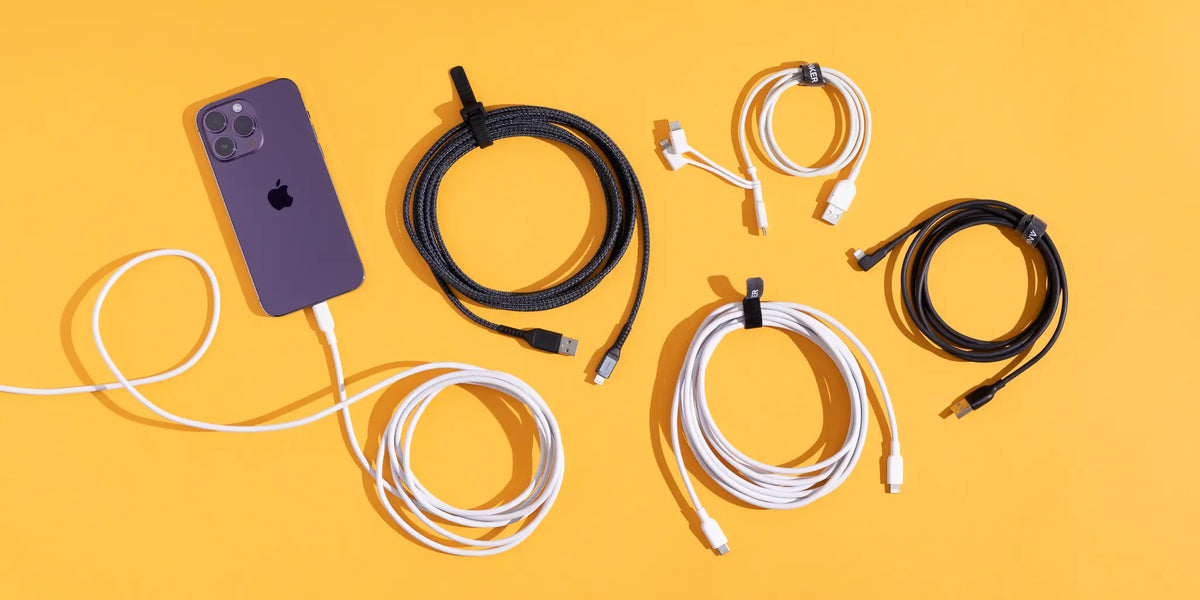
Buying a new iPhone cable may seem simple: find one that fits the port, plug it in, and start charging. But once you compare the available options, you will find USB-C cables with different power ratings, USB-C to Lightning cables, USB-C to USB-C cables, and differences in length, durability, and data transfer speed.
So, which one do you actually need?
Choosing the best USB-C cable for iPhone is not about buying the cable with the highest wattage or the highest price. It starts with knowing which iPhone model you have, what charging port it uses, which charger you plan to connect it to, and how you use your cable every day.
You may only need a cable to charge your iPhone, or you may want one cable for both your iPhone and iPad. You might even want a cable that can also work with a MacBook or other USB-C devices. In each case, the right choice can be different.
In this guide from Cart, we will explain the difference between USB-C to USB-C and USB-C to Lightning, how to choose a cable for fast charging, whether you need a 60W or 100W cable, and the most important specifications to check before buying a new iPhone cable.
Does Your iPhone Need USB-C or Lightning?
Before thinking about cable wattage or length, you need to know which port your iPhone uses.
Apple introduced USB-C to the iPhone lineup with the iPhone 15 series, while the iPhone 14 series and earlier generations use Lightning.
That means the right cable depends on your iPhone model.
|
iPhone Model |
Phone Port |
Cable to Use With a USB-C Charger |
|
iPhone 15 series and later |
USB-C |
USB-C to USB-C |
|
iPhone 14 series and earlier |
Lightning |
USB-C to Lightning |
Do not buy a cable simply because the product is labeled as an “iPhone Cable.” Check your iPhone model, phone port, and charger port first.
If your iPhone has USB-C, you will generally need a USB-C to USB-C cable when using a USB-C charger. If your iPhone uses Lightning and you have a modern USB-C charger, you will need a USB-C to Lightning cable.
What Is the Best USB-C Cable for iPhone?
The best USB-C cable for iPhone is one that is compatible with your device’s port, meets its charging requirements, works properly with your charger, and suits your needs in terms of length, durability, and data transfer.
In other words, there is no single cable that is best for every iPhone user.
Someone who wants a short cable for charging from a power bank has different needs from someone who wants a two-meter cable next to their bed. Similarly, someone who regularly transfers large files may care more about data specifications than someone who only uses the cable for charging.
Most importantly, higher wattage does not automatically mean faster iPhone charging.
If you want to understand cable specifications in more detail before buying, read our guide on How to Choose the Right USB-C Cable for Fast Charging.
Best USB-C Cables for iPhone by Use Case
Instead of searching for the “most powerful iPhone cable,” start by deciding how you plan to use it. This helps you pay for the specifications you actually need.
Best USB-C Cable for Everyday iPhone Charging
If your main goal is everyday charging at home or in the office, look for a reliable cable that is compatible with both your iPhone and charger and comes in a practical length for your setup.
For iPhones with USB-C ports, USB-C to USB-C is the appropriate option when using a USB-C charger.
You do not need to buy a 100W or 240W cable just for everyday phone charging if your device requires far less power.
What matters is that the cable has clear specifications and can meet the requirements of your device and charger.
Best USB-C Cable for iPhone Fast Charging
If you want to take advantage of fast charging, do not focus on the cable alone.
Charging speed depends on the entire setup:
iPhone + charger + charging technology + cable = actual charging speed
You need an appropriate cable together with a compatible USB-C charger that can provide the power required by your specific iPhone model.
A 60W or 100W label on the cable does not mean your iPhone will charge at that wattage. The phone determines how much power it can use, while the charger and cable must be able to support the device’s requirements.
Best Long USB-C Cable for iPhone
A longer cable can be useful when the power outlet is far from your bed or desk, or when you want to use your phone comfortably while it is charging.
However, do not choose a cable based on length alone.
Check its power specifications and build quality as well, and make sure it is designed to provide the performance you need.
If a longer cable suits your setup better, there is no reason to avoid it as long as its specifications meet your device requirements.
Best USB-C Cable for iPhone Travel
When traveling, your priorities may be slightly different.
Instead of carrying several cables, it can be more convenient to choose a USB-C cable that works with multiple compatible devices.
If you have an iPhone, iPad, earbuds, or other USB-C devices, the right cable may reduce the number of accessories you need to carry.
Look for a good balance between durability, length, portability, and compatibility with your devices.
Best USB-C Cable for iPhone Data Transfer
If you use your cable to transfer photos, videos, and other files to a computer, do not use the wattage rating to judge data transfer performance.
Charging wattage ≠ data transfer speed
A cable may support high charging power without providing the fastest available data transfer speed.
If data transfer matters to you, check the cable’s Data Transfer Speed separately from its charging power.
This becomes especially important if you frequently transfer large video files or use your iPhone as part of a workflow that involves regular file transfers.
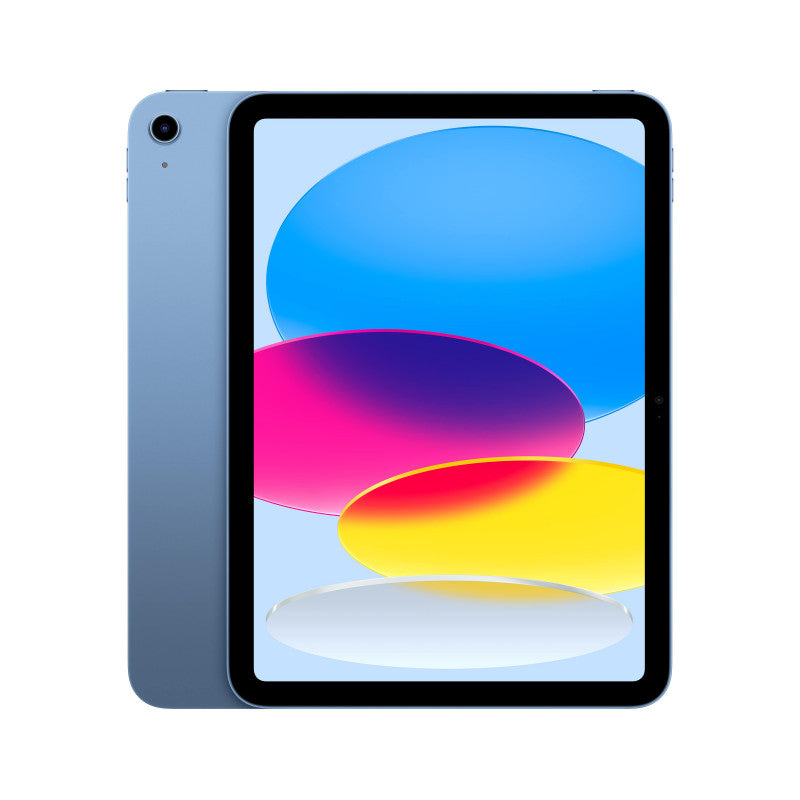
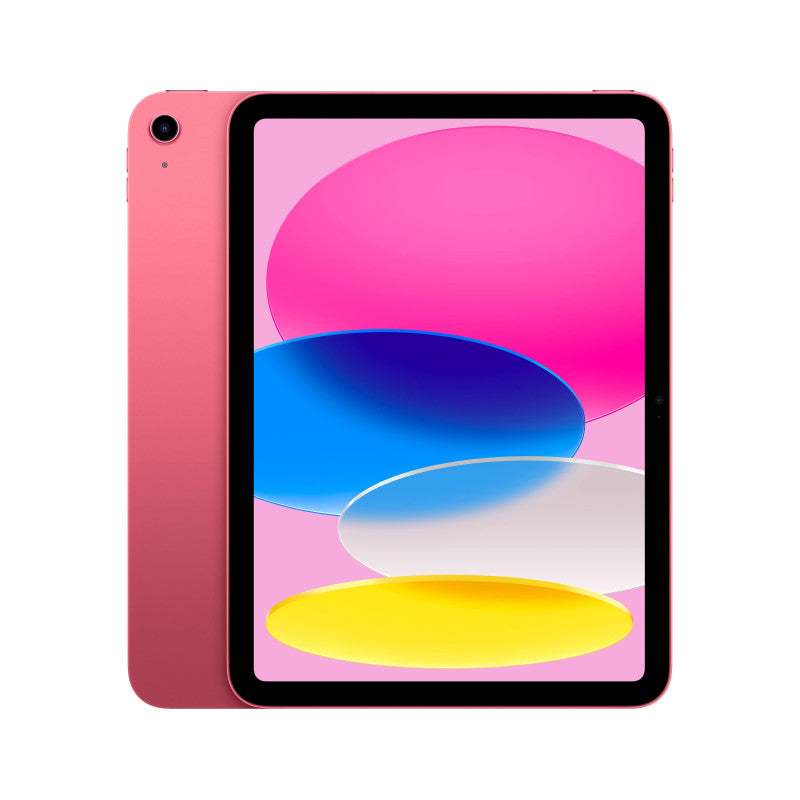
Best Cable for iPhone and iPad
If both your iPhone and iPad use USB-C, using one compatible cable for both devices can be convenient.
However, check the requirements of both devices rather than looking only at the iPhone.
If one device requires more power, choose a cable that covers the requirements of the higher-power device when paired with an appropriate charger.
Best Cable for iPhone and MacBook
The same principle applies if you want to use one USB-C cable with both your iPhone and a compatible MacBook.
Laptops can require considerably more charging power than smartphones.
If the cable will be used with both devices, do not choose its power rating based on the iPhone alone. Check the MacBook requirements as well, then select a cable that covers the needs of the higher-power device.
In this situation, choosing a higher-wattage cable may make sense, not because your iPhone needs that extra wattage, but because your other device does.
How to Choose the Best USB-C Cable for iPhone
Once you know how you plan to use the cable, there are several important specifications to check before buying.
Check Your iPhone Model First
This is your starting point.
Does your iPhone use USB-C or Lightning?
Do not assume every iPhone uses the same connector, especially if you are buying a cable for someone else or for an older device.
Choose the Correct Cable Type
If your iPhone has USB-C and your charger also has USB-C, you need a USB-C to USB-C cable.
If your phone has Lightning and your charger has USB-C, you need a USB-C to Lightning cable.
Check the Cable Power Rating
You may find cables rated at 60W, 100W, or even 240W.
Do not let that number alone determine your decision.
Choose a cable capable of meeting your device requirements. If you also plan to use it with other devices such as a laptop, consider their power needs as well.
Make Sure Your Charger Is Compatible
A cable does not generate power, so it cannot turn a slow charger into a fast charger.
If your charger does not provide the appropriate power or charging technology, buying a higher-rated cable will not solve the problem.
You can browse PD & Fast Chargers on Cart and compare options based on your device requirements.
Choose the Right Length
Think about where you use your cable most often.
Will it stay on your desk? Next to your bed? In your car? Connected to a power bank? Or stored in your travel bag?
Choosing the right length for your actual use is usually more practical than simply buying whatever length is available.
Consider Build Quality
A charging cable is something you may use every day, and it can be repeatedly bent, pulled, wrapped, and stored.
Pay attention to the overall build quality, especially around the connector ends, as well as the outer material and how clearly the product specifications are stated.
Check Data Speed If You Need It
If you only use the cable for charging, data speed may not be a priority.
But if you regularly transfer large files, do not assume a 100W cable transfers data faster than a 60W cable.
Check the data specifications separately.
Do You Need a 60W or 100W Cable for iPhone?
This is a common question when comparing USB-C cables.
The answer depends on which devices you plan to use the cable with, not on the assumption that 100W is automatically better.
Is a 60W USB-C Cable Enough for iPhone?
For iPhone charging, an appropriate USB-C cable rated up to 60W can provide more power capacity than many iPhone charging scenarios require, provided the phone, charger, cable, and charging requirements are compatible.
You do not need to move up to 100W simply to get a bigger number on the packaging.
When Does a 100W Cable Make Sense?
A 100W cable may be more practical if you want to use the same cable with another device that has higher power requirements, such as certain USB-C laptops or tablets.
However, connecting a 100W cable to an iPhone does not mean the phone will suddenly start receiving 100W.
The device draws the amount of power it can handle within a compatible charging setup.
If you want to better understand how wattage affects phone charging, read our guide on How Many Watts Does Your Phone Need for Fast Charging?
Does the USB-C Cable Affect iPhone Charging Speed?
Yes. The cable can affect the final charging performance if it does not meet the requirements of the charging setup.
However, it would be a mistake to treat the cable as the only factor responsible for charging speed.
Even with a high-power cable, you may get slower charging than expected if the charger has limited output or does not meet the device’s charging requirements.
Similarly, using the right charger with a cable that cannot meet the required specifications can also prevent the setup from delivering the expected performance.
Always think about the complete charging system:
iPhone + charger + charging technology + cable
Does Any USB-C Charger Work With an iPhone Cable?
A USB-C port on the charger alone does not tell you what charging performance you will get.
There is a difference between a charger being able to charge your phone and providing the fast-charging experience supported by the device.
Check the charger’s output and supported charging standards, as well as the specific port you are using if the charger has multiple ports.
With multi-port chargers, pay attention to power distribution too. The available output per port can change when several devices are connected at the same time.
If you are not sure which charger suits your device, read our guide on How to Choose the Right Charger for Your Phone before buying.
USB-C to USB-C vs. USB-C to Lightning: Which One Do You Need?
The basic difference is simple: your iPhone port determines which connector you need on the phone side of the cable.
|
Comparison |
USB-C to USB-C |
USB-C to Lightning |
|
Phone-side connector |
USB-C |
Lightning |
|
Suitable for |
iPhones with USB-C |
iPhones with Lightning |
|
Charger-side connector |
USB-C |
USB-C |
|
Your choice depends on |
iPhone model |
iPhone model |
If you have an iPhone with USB-C and a USB-C charger, choose USB-C to USB-C.
If your iPhone has a Lightning port and you want to use a USB-C charger, look for a compatible USB-C to Lightning cable.
Do not choose based on the cable name alone. Check both the phone port and charger port.
Do You Need to Buy an Original Apple Cable for Your iPhone?
The goal is not simply to find a cable with the Apple logo. What matters is choosing a cable that is reliable, compatible, and appropriate for your device.
For iPhones that use Lightning, choosing a trusted and compatible cable is important, and MFi (Made for iPhone/iPad) certification can be a useful factor when comparing compatible Lightning accessories.
With USB-C, focus on clear specifications, appropriate power capability, compatibility with your device requirements, and build quality.
In either case, avoid unknown cables that provide little or no information about their capabilities or compatibility.
Instead of asking only:
“Is this an original cable?”
A better question is:
“Is this cable reliable and compatible with my device and charger?”
Are Braided Cables Better for iPhone?
A braided cable may be a good option if you care about durability, resistance to tangling, and frequent everyday use.
However, there is a difference between durability and electrical performance.
A braided outer layer does not make an iPhone charge faster.
You could have a durable braided cable that does not meet the specifications you need, while a cable with a different outer design may provide the required charging performance if its specifications are correct.
Treat the cable material as a factor in durability and user experience, not as a measure of charging speed.
Does iPhone Cable Length Affect Charging Speed?
Cable length can be one factor related to performance, alongside cable design, resistance, and build quality. However, you cannot judge charging speed based on length alone.
It is not accurate to assume that every one-meter cable is automatically faster than every two-meter cable.
The better approach is to choose a cable with the required specifications in a length that works for your setup.
A shorter cable may be practical on a desk, in the car, or with a power bank, while a longer cable may be more comfortable next to your bed or when the outlet is farther away.
Choose the length based on your needs, then make sure the cable still meets the required specifications at that length.
Best iPhone Cable Based on Your Needs
If you are still unsure which type to choose, use this table as a starting point:
|
Your Use |
What to Look For |
|
Everyday charging for a USB-C iPhone |
Compatible USB-C to USB-C cable |
|
Lightning iPhone + USB-C charger |
Compatible USB-C to Lightning cable |
|
Fast charging |
Suitable cable + compatible USB-C charger |
|
Charging next to your bed |
Longer cable with appropriate specifications |
|
Car or power bank |
Practical, easy-to-manage length |
|
Travel |
Durable and easy-to-carry cable |
|
iPhone + iPad |
Cable that meets both devices’ requirements |
|
iPhone + MacBook |
Cable rated for the higher-power device |
|
Frequent photo and video transfers |
Check Data Transfer Speed as well as charging specifications |
The goal is not to find the highest wattage. It is to find a cable that matches the way you actually use your devices.
Common Mistakes When Buying a USB-C Cable for iPhone
Even with so many options available, most buying mistakes are easy to avoid.
Buying USB-C to USB-C for an iPhone That Uses Lightning
Having USB-C on the charger side does not mean the phone side is also USB-C. Check your iPhone model before buying.
Choosing a Cable Based Only on Wattage
A 100W or 240W rating alone does not tell you whether the cable is the best choice for your device.
Assuming 100W Will Charge an iPhone Faster Than 60W
If the phone cannot use the additional power capacity, the cable alone will not increase charging speed.
Ignoring Charger Specifications
You may have an excellent cable, but the charger itself may not provide the right power or charging technology.
Confusing Charging Speed With Data Transfer Speed
Power rating and data transfer speed are separate specifications.
Buying a Cable With Unclear Specifications
Marketing terms such as “Fast” and “Super Fast” are not a substitute for clear technical specifications.
Choosing Cable Length Without Considering Your Setup
Even a great cable can become inconvenient if its length does not suit the way you use it.
Assuming Braided Means Faster Charging
Braiding is primarily related to construction and durability, not charging speed.
How Can You Tell If an iPhone Cable Is Right for You Before Buying?
Before adding a cable to your cart, check the following:
iPhone model: Which device are you using?
Phone port: USB-C or Lightning?
Charger port: USB-C or USB-A?
Cable type: USB-C to USB-C or USB-C to Lightning?
Power rating: Is the cable’s power capability appropriate for your use?
Charging compatibility: Does it work with the charging setup you plan to use?
Data transfer speed: Do you need fast file transfers?
Cable length: Is it suitable for your desk, bed, car, or travel setup?
Build quality: Is the cable designed for regular everyday use?
Compatibility or certification: Are there relevant specifications or certifications you should look for with that type of cable?
Checking these details makes your purchase decision about actual needs rather than the biggest number or strongest marketing claim.
You can browse charging cables available on Cart and compare connector types, lengths, and specifications.
Frequently Asked Questions About the Best USB-C Cables for iPhone
What Is the Best USB-C Cable for iPhone?
The best cable is one that matches your iPhone model, phone port, and charger, supports the charging requirements you need, and provides the right length, quality, and data specifications for your use.
Do All iPhones Use USB-C?
No. Apple introduced USB-C to the iPhone lineup with the iPhone 15 series. The iPhone 14 series and earlier generations use Lightning.
Can You Use Any USB-C Cable With an iPhone?
Not all USB-C cables have the same capabilities. Check the connector type, cable power rating, specifications, and the requirements of your specific iPhone model.
Is a 100W USB-C Cable Suitable for iPhone?
A compatible higher-rated cable can be used with an appropriate iPhone, but a 100W rating does not mean the phone will charge at 100W. The iPhone uses the power level supported by the compatible charging setup.
Does a 100W Cable Charge an iPhone Faster Than a 60W Cable?
Not necessarily. If a 60W cable already meets the iPhone’s charging requirements, moving to a 100W cable will not make the phone charge faster simply because the cable has a higher rating.
Do I Need USB-C to USB-C or USB-C to Lightning?
It depends on your iPhone port. If your phone uses USB-C and your charger is USB-C, you need USB-C to USB-C. If your phone uses Lightning with a USB-C charger, you need USB-C to Lightning.
Does the Cable Affect iPhone Charging Speed?
Yes. A cable that does not meet the charging requirements can become a limiting factor. However, actual charging speed depends on the iPhone, charger, charging technology, and cable together.
Do I Have to Buy an Original Apple Cable?
It is not the only option, but you should use a reliable cable that is compatible with your device. For Lightning accessories, MFi certification can be an important factor when evaluating compatible options.
Are Braided Cables Better for iPhone?
They may offer advantages in durability and resistance to tangling depending on their design, but a braided cable does not charge your phone faster simply because it is braided.
What Is the Best Cable Length for iPhone Charging?
There is no single ideal length for everyone. A shorter cable may be practical for a desk, car, or power bank, while a longer cable can be more convenient next to a bed or when the outlet is farther away.
Can You Use a MacBook USB-C Cable to Charge an iPhone?
If the cable is compatible with the iPhone and charging setup, a higher-rated USB-C cable designed for a MacBook can often be used with the phone. The iPhone will not automatically receive the cable’s maximum power; it will charge according to what the device and charging setup support.
Can You Use One Cable for Both iPhone and iPad?
Yes, if both devices use compatible connectors and the cable meets their charging requirements. If their power needs differ, choose a cable that covers the requirements of the higher-power device.
Conclusion
Choosing the best USB-C cable for iPhone is not about finding the cable with the highest wattage or buying the most expensive option available.
Start with your iPhone model. Determine whether it uses USB-C or Lightning, then check your charger port and charging requirements. From there, choose the cable’s power rating, length, durability, and data capabilities according to how you actually plan to use it.
If you only need a cable for charging your iPhone, your requirements may be relatively simple. But if you want one cable for your iPhone, iPad, and laptop, it may make sense to choose specifications that cover the needs of the highest-power device.
Keep this simple formula in mind:
iPhone model + connector type + compatible charger + cable specifications = the right cable choice.
Instead of buying the highest wattage, choose a cable that actually works for your devices.
Looking for a new iPhone cable? Browse charging cables on Cart and compare connector types, lengths, and specifications to find the right option for your device and everyday use.