Buying a new iPhone charger may sound like a simple decision until you start comparing the available options. Should you choose 20W or 30W? Do newer iPhones need a 40W charger or more? USB-C or Lightning? Is a GaN charger worth buying? And what if you want one charger for your iPhone, iPad, and laptop?
That is why choosing the best iPhone charger in Jordan is not about buying the charger with the highest wattage. It is about understanding which iPhone model you use, which cable it requires, how much charging power you actually need, and whether you plan to charge one device or several.
Apple supports fast charging on iPhone 8 and later when the appropriate charger and cable are used. iPhone 15 and newer models use USB-C, while older models rely on a USB-C to Lightning cable when using a compatible USB-C power adapter for fast charging.
In this guide, we will help you choose the right charger based on your device and actual needs instead of focusing only on the wattage printed on the box.
What Is the Best iPhone Charger in Jordan?
There is no single charger that is best for every iPhone user because the right choice depends on your device and how you use it.
|
Your Need |
Recommended Option |
|
Everyday iPhone charging |
Compatible USB-C Fast Charger |
|
iPhone 12–16 for regular use |
20W or higher depending on the device and use |
|
iPhone 17 / 17 Pro / 17 Pro Max for Apple’s fastest advertised charging |
40W or higher |
|
iPhone 17e or iPhone Air |
20W or higher for advertised fast charging |
|
iPhone + other devices |
Multi-Port Charger |
|
Travel and portability |
Compact GaN Charger |
|
Wireless charging |
Compatible MagSafe or Qi2 Charger |
|
iPhone + Apple Watch + AirPods |
Multi-Device Charging Station |
The main takeaway is simple: the best iPhone charger is not necessarily the most powerful one you can buy. It is the charger that offers the right wattage, compatibility, and ports for the devices you actually use.
Before Buying: Does Your iPhone Use Lightning or USB-C?
This is the first thing you should check because it determines which cable you need.
iPhone 14 and Earlier Models
iPhone 14 and earlier generations use a Lightning port. For faster wired charging on supported devices, you can use a compatible USB-C power adapter with a USB-C to Lightning cable.
This also means that having an older USB-A to Lightning cable does not necessarily give you the fastest charging setup available for your iPhone.
iPhone 15 and Newer Models
Apple switched to USB-C starting with the iPhone 15 series, so you can use a USB-C to USB-C cable with a compatible USB-C power adapter.
This makes charging more convenient, especially if you already use other devices that rely on USB-C.
How Many Watts Does an iPhone Charger Need?
One of the most common mistakes when buying an iPhone charger is assuming that a bigger wattage number automatically means faster charging.
In reality, the wattage printed on the charger is the maximum power the charger can provide. It does not necessarily mean your iPhone will continuously draw that full amount.
Is a 20W Charger Good for iPhone?
Yes, in many cases.
A 20W USB-C charger remains a practical choice for many iPhone users who simply want a compact everyday charger for their phone.
For many recent generations, 20W is enough to meet Apple’s standard fast-charging requirements when paired with the right cable and compatible device.
Is a 30W Charger Better for iPhone?
A 30W charger can be a more flexible option, especially if you plan to use the same charger with other devices or with MagSafe in scenarios that support higher input power.
However, moving from 20W to 30W does not automatically mean every iPhone will charge significantly faster.
The actual benefit depends on:
-
Your iPhone model
-
Charging protocol support
-
The cable
-
How you use the charger
What About a 40W Charger for iPhone 17?
This becomes more relevant with the latest iPhone generation.
According to Apple, iPhone 17, iPhone 17 Pro, and iPhone 17 Pro Max can reach around 50% charge in approximately 20 minutes when used with a compatible 40W or higher power adapter under Apple’s test conditions.
For iPhone 17e and iPhone Air, Apple states that around 50% can be reached in roughly 30 minutes with a 20W or higher adapter.
So, if you are buying a charger specifically for one of the main iPhone 17 models and want Apple’s fastest advertised wired charging performance, looking at 40W+ chargers makes more sense than it did with previous generations.
Can You Use a 65W Charger With an iPhone?
Yes, as long as the charger is compatible and supports the appropriate charging standards.
A charger labeled 65W does not force 65W into your iPhone. Compatible devices and chargers negotiate the appropriate power level.
That makes a 65W charger particularly useful if you want one charger for:
-
iPhone
-
iPad
-
MacBook or compatible laptop
-
Other USB-C devices
If you only need to charge your iPhone, though, you may be paying for power you do not actually need.
What Is USB Power Delivery and Why Does It Matter for iPhone?
You will see USB-PD or Power Delivery mentioned on many modern chargers.
USB Power Delivery is a charging standard that manages power delivery over USB and is widely used for fast charging.
When shopping for a fast iPhone charger, do not look at wattage alone. Also check whether the charger supports USB Power Delivery and whether it matches the charging requirements of your iPhone.
Read also: Best USB-C Chargers in Jordan
Read also: Best GaN Chargers in Jordan
Best Types of iPhone Chargers by Use Case
Instead of choosing a charger based only on brand or wattage, it is more useful to start with the way you plan to use it.
USB-C Charger for Everyday Use
If you only need to charge your iPhone, you probably do not need a large charging station or a charger with four ports.
A reliable USB-C charger with USB-PD support and suitable power for your iPhone model can easily cover everyday use.
This type is ideal for users who want:
-
Charging at home or the office
-
A simple setup
-
One charging port
-
Fewer cables and accessories
Original Apple Charger
An Apple USB-C Power Adapter can be a practical choice for users who prefer a straightforward charger from Apple and do not need multiple ports or a charger for several devices.
However, buying an Apple-branded charger is not the only way to fast-charge an iPhone.
Compatible third-party USB-C chargers can also work well when they support the required charging standards and specifications.
GaN Charger for iPhone and Travel
If you carry your charger every day or travel frequently, size and portability become more important.
GaN technology allows manufacturers to build relatively compact chargers with useful power output, making them a good option for people who want one charger in their bag instead of several separate adapters.
However, do not buy a GaN charger just because it says “GaN” on the packaging.
Also check:
-
Wattage
-
Number of ports
-
USB-PD support
-
Power distribution
-
Devices you plan to charge
Read also: Best GaN Chargers in Jordan
Multi-Port Charger for iPhone and Other Devices
If you own an iPhone, iPad, AirPods, and perhaps a MacBook, the number of ports becomes much more important.
Instead of using a separate charger for every device, a suitable multi-port charger can reduce the number of adapters on your desk or in your travel bag.
But pay attention to power distribution.
A charger labeled 65W, for example, may provide that power through one port in a specific configuration and then divide the output when two or three devices are connected.
So do not look only at the total wattage printed on the charger. Check how the power is distributed between ports.
MagSafe or Qi2 Charger for iPhone
If convenience matters more to you than always plugging in a cable, wireless charging becomes a strong option.
MagSafe and Qi2 chargers can work particularly well for users who charge their iPhone on a desk, bedside table, or charging stand.
Read also: Best Wireless Chargers in Jordan
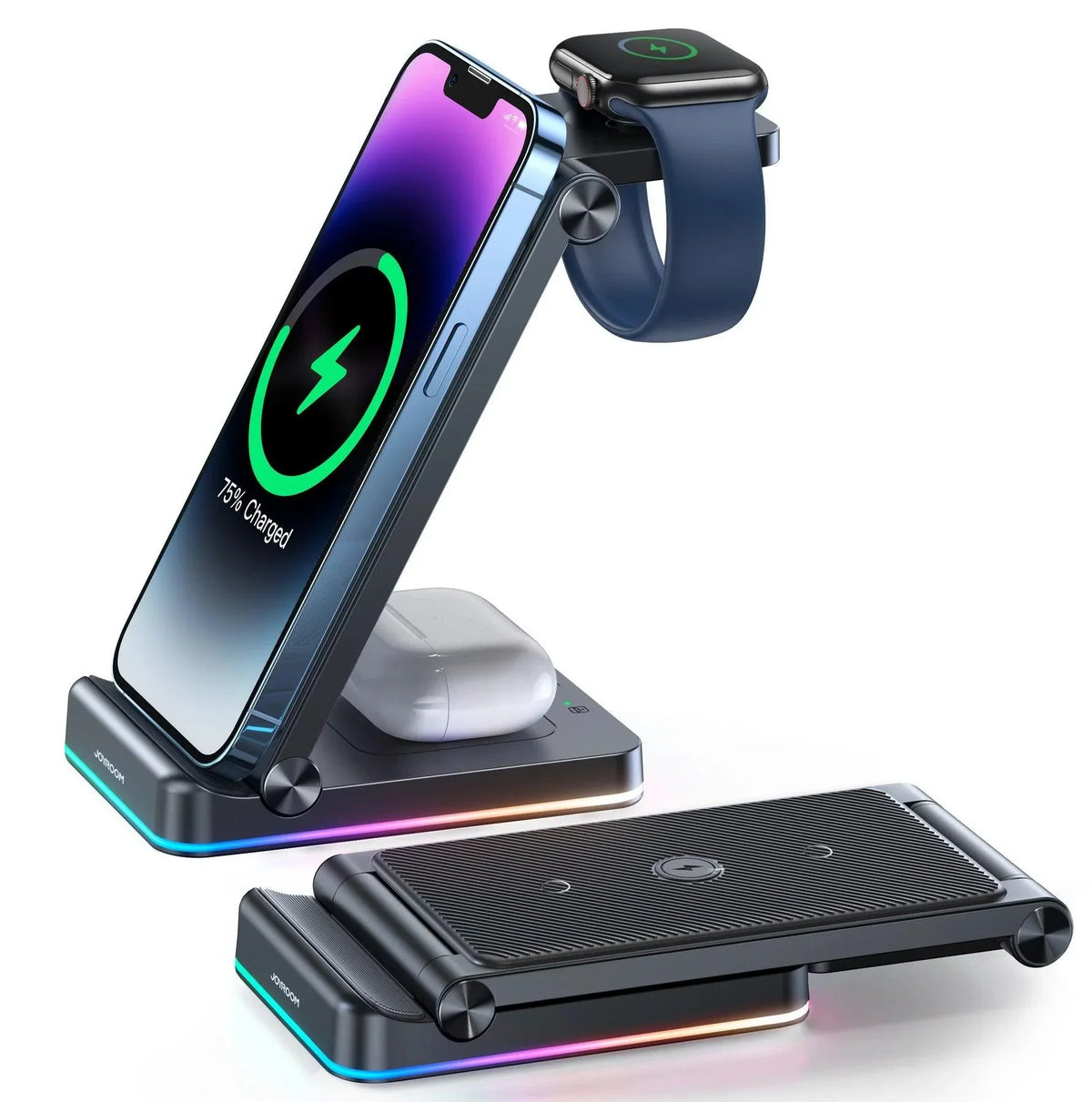
Charging Station for Multiple Apple Devices
If you regularly charge:
iPhone + Apple Watch + AirPods
a 3-in-1 charging station may be more practical than using three separate chargers.
The benefit is not just charging several devices at once. It can also give your devices a fixed charging spot and reduce the number of adapters and cables around your desk or bedside table.
Best Charger by iPhone Model
Choosing a charger according to your iPhone generation is more useful than simply buying a product labeled “For iPhone.”
|
iPhone Model |
Phone Port |
Main Fast-Charging Cable |
What to Consider |
|
iPhone 17 / 17 Pro / 17 Pro Max |
USB-C |
USB-C to USB-C |
40W+ for Apple’s fastest advertised wired charging |
|
iPhone 17e / iPhone Air |
USB-C |
USB-C to USB-C |
20W+ for advertised fast charging |
|
iPhone 16 Series |
USB-C |
USB-C to USB-C |
Compatible USB-C PD charger |
|
iPhone 15 Series |
USB-C |
USB-C to USB-C |
Compatible USB-C PD charger |
|
iPhone 14 and earlier models with fast charging |
Lightning |
USB-C to Lightning |
Compatible USB-C PD charger |
iPhone 15 and newer use USB-C, while earlier generations rely on Lightning and can use USB-C to Lightning for compatible fast-charging setups.
Best Charger for iPhone 17
If you use iPhone 17, iPhone 17 Pro, or iPhone 17 Pro Max, there is now a stronger reason to consider a 40W or higher charger if charging speed is a priority.
That is the power level Apple references for achieving its fastest advertised wired charging result on these devices.
If maximum charging speed is not your main concern, your decision can instead focus more on:
-
Port count
-
Charger size
-
GaN design
-
Other devices you want to charge
Best Charger for iPhone 16
The iPhone 16 uses USB-C, so you need a USB-C charger and compatible USB-C cable.
If you also use MagSafe, keep in mind that wireless fast charging has different power requirements from wired charging.
For users who want one charger to cover both wired charging and MagSafe, choosing a slightly higher-wattage USB-C adapter can be more flexible.
Best Charger for iPhone 15
The iPhone 15 series was the first iPhone generation to switch to USB-C.
That makes a USB-C charger especially practical because the same connection can also be used with many other modern devices.
What About Older iPhones?
If you have an iPhone 14 or an older model that supports fast charging, the Lightning port does not mean you have to use a traditional USB-A adapter.
A USB-C charger + USB-C to Lightning cable can be used for fast charging on supported models.
Original Apple Charger vs. Third-Party Charger
The better question is not “Which one is better?” but rather:
“What do you need from your charger?”
Choose an Apple Charger If You Want:
-
A simple, straightforward solution
-
A charger for one device or one main use
-
An accessory directly from Apple
A Third-Party Charger May Suit You Better If You Want:
-
More than one charging port
-
A GaN charger
-
Higher power for other devices
-
One charger for iPhone, iPad, and laptop
-
A more compact travel charger
The most important thing is to choose a reliable product that supports the required charging and safety standards instead of simply buying the cheapest option available.
20W vs. 30W vs. 65W iPhone Charger
Instead of asking “Which one is faster?”, compare them based on use.
|
Use Case |
20W |
30W |
65W |
|
iPhone only |
Suitable for many models |
Suitable |
Usually more than needed for the phone alone |
|
iPhone + iPad |
Can be limited depending on use |
More flexible |
Suitable |
|
iPhone + Laptop |
Usually not practical |
Depends on the laptop |
Better suited to compatible laptops |
|
Travel |
Compact and practical |
Good option |
Excellent if compact |
|
Multiple devices |
Limited |
Depends on port count |
Better with multi-port models |
|
iPhone 17 for fastest advertised charging |
Below Apple’s 40W reference level |
Below Apple’s 40W reference level |
Provides enough power if compatible |
This table does not mean a 65W charger will make every iPhone charge faster than a 20W or 30W charger.
The main advantage of a more powerful charger is usually that it can handle other devices too.
Wired Charging vs. MagSafe: Which Is Better for You?
The choice is not only about charging speed.
Choose Wired Charging If:
-
You want a simple solution
-
Wired fast charging is a priority
-
You often use your phone while charging
-
You want a wider variety of cables and chargers
Choose MagSafe or Wireless Charging If:
-
You prefer placing your phone on a charger instead of plugging it in
-
You use a charging stand on your desk
-
You charge your iPhone beside your bed
-
You want one charging station for several Apple devices
You do not necessarily have to choose only one.
A fast USB-C charger can be useful when you need power quickly, while a MagSafe charger can remain on your desk for everyday convenience.
Does the Charging Cable Affect iPhone Charging Speed?
Yes.
The charger is only one part of the charging setup.
Think of it this way:
Charger + Cable + iPhone = Charging Setup
If you have a fast charger but the cable or connection does not support the required setup, you may not get the charging performance you expect.
USB-C to Lightning
Used with older iPhone models that have a Lightning port when taking advantage of compatible fast charging.
USB-C to USB-C
The standard wired charging option for iPhone 15 and newer models.
Before replacing your charger, it is worth checking whether the cable itself is the real problem.
Read also: Best Fast-Charging Cables
How to Choose the Best iPhone Charger Before Buying
Before adding a charger to your cart, go through this checklist:
-
Identify your iPhone model.
-
Check whether it uses Lightning or USB-C.
-
Determine how much charging power you need.
-
Look for USB Power Delivery when compatible fast charging is important.
-
Decide how many ports you need.
-
Think about the other devices you want to charge.
-
Check cable compatibility.
-
Choose a reliable brand.
-
If you travel frequently, compare size and weight.
-
Do not make wattage the only factor in your decision.
This way, you are not buying the “most powerful charger.” You are buying the charger that fits your actual use.
Common Mistakes When Buying an iPhone Charger
The first common mistake is assuming that higher wattage always means faster charging.
Actual charging speed depends on the iPhone, charger, charging protocol, cable, temperature, and usage conditions.
The second mistake is ignoring the cable.
You may buy an excellent charger but still use a cable or connection that does not deliver the charging performance you expect.
Other common mistakes include:
-
Buying more charging ports than you need
-
Ignoring power distribution on multi-port chargers
-
Choosing an unreliable charger only because it is cheaper
-
Buying a wireless charger without checking compatibility
-
Replacing the charger before confirming that the cable is not the problem
-
Paying more for wattage you will never use
It is also worth remembering that charging conditions matter. High temperatures, low temperatures, and heavy phone use while charging can all affect charging speed.
Where to Buy an iPhone Charger in Jordan
When buying an iPhone charger in Jordan, do not start with the product name alone.
Compare your options based on:
Wattage + Number of Ports + USB-PD + Cable Compatibility + Devices You Want to Charge
On Cart, you can compare chargers, cables, and charging accessories based on your iPhone model and the way you use it.
Whether you need a simple everyday charger, a compact GaN charger for travel, a multi-port charger for several devices, or a wireless charging solution, the goal should be the same:
Choose one charger that actually fits your devices instead of adding another adapter to a drawer full of chargers.
Explore chargers and charging accessories on Cart
FAQs About the Best iPhone Charger in Jordan
What Is the Best iPhone Charger in Jordan?
The best charger depends on your iPhone model and how you use it. For everyday charging, a compatible USB-C charger with USB Power Delivery is a practical choice for many iPhones. A multi-port GaN charger may be better if you also want to charge other devices from the same adapter.
How Many Watts Does an iPhone Need for Fast Charging?
It depends on the iPhone model. Many recent iPhones support fast charging with 20W or higher adapters, while iPhone 17, iPhone 17 Pro, and iPhone 17 Pro Max can use a 40W or higher charger to reach Apple’s fastest advertised wired charging result.
Is a 20W Charger Good for iPhone?
Yes. A 20W charger is suitable for many iPhone models and meets fast-charging requirements for several generations. Some newer devices, particularly the main iPhone 17 models, can benefit from higher power when aiming for Apple’s fastest advertised charging performance.
Can I Use a 30W Charger With an iPhone?
Yes. A compatible 30W USB-C charger can be used with an iPhone.
However, a 30W rating does not mean every iPhone will draw the full 30W.
Can I Use a 65W Charger With an iPhone?
Yes. A compatible 65W charger can be used with an iPhone and may be especially useful if you want one charger for your iPhone, iPad, and laptop.
Do I Have to Use an Original Apple Charger?
No.
Compatible USB-C chargers from other reliable brands can also be used when they support the required standards, including USB Power Delivery where necessary.
What Is the Difference Between USB-C and USB-A for iPhone Charging?
USB-C is the connection used in modern iPhone fast-charging setups and offers greater compatibility with Power Delivery.
For newer iPhones, USB-C is usually the better option when fast wired charging is the priority.
What Is the Best Charger for iPhone 17?
If your priority is Apple’s fastest advertised wired charging result for iPhone 17, iPhone 17 Pro, or iPhone 17 Pro Max, choose a compatible charger rated at 40W or higher.
For iPhone 17e and iPhone Air, 20W or higher is sufficient for Apple’s advertised fast-charging result.
Do iPhone 15, 16, and 17 Use the Same Type of Charging Cable?
Yes. These generations use USB-C and can be charged using a compatible USB-C cable.
However, maximum charging performance can still vary between individual models.
Is MagSafe Better Than Wired Charging?
Not necessarily.
MagSafe is more convenient for desk or bedside charging, while wired charging may be better for users who prioritize speed or want a simpler charging setup.
The better option depends on your daily routine.
How Can I Tell If a Charger Supports iPhone Fast Charging?
Check:
-
Charger wattage
-
USB-C port
-
USB Power Delivery support
-
Compatibility with your iPhone model
-
The cable being used
The charger and cable need to work together to deliver the intended charging performance.
How Much Does an iPhone Charger Cost in Jordan?
The price depends on:
-
Brand
-
Wattage
-
Number of ports
-
GaN technology
-
USB-PD support
-
Wireless charging features
Instead of choosing based on price alone, compare the cost with the features and charging power you actually need.
Conclusion: Do Not Look for the Most Powerful Charger—Look for the Right One
Choosing the best iPhone charger in Jordan does not start with the biggest wattage number printed on the box.
It starts with your iPhone.
If you only need to charge your phone, a simple compatible USB-C charger may be all you need.
If you use an iPhone, iPad, and MacBook, a GaN multi-port charger may be more practical because it can replace several separate adapters.
And if convenience matters more to you while charging at your desk or bedside table, MagSafe becomes part of the conversation.
The formula is simple:
Know your iPhone model, check the connector, choose the right wattage, then think about the other devices you want to charge.
That way, you avoid paying for features you do not use and reduce the chance of buying another charger every time you add a new device to your setup.