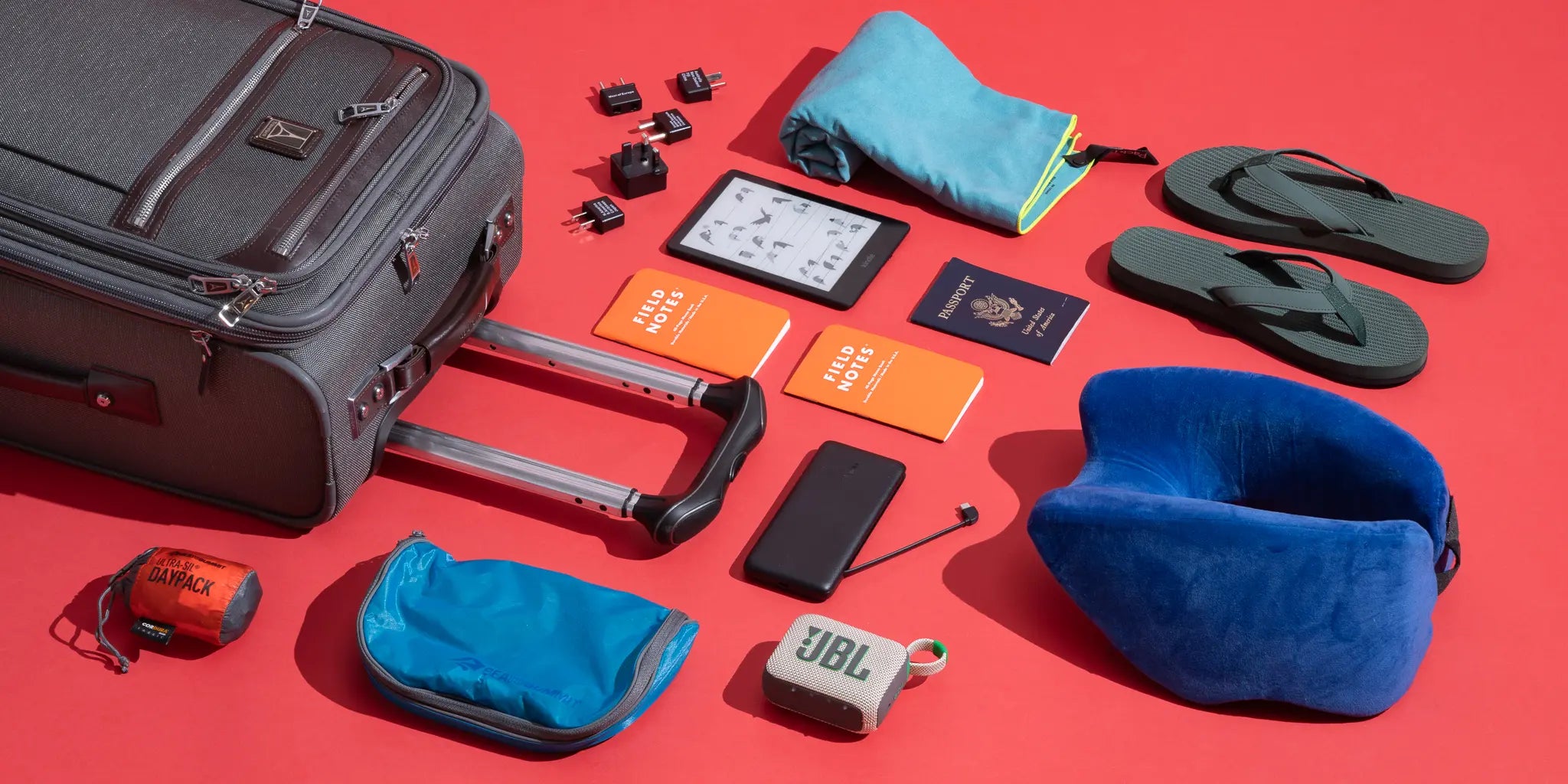
A few years ago, preparing for a trip mainly meant checking your clothes, passport, and reservations. Today, there is another important question to add to your checklist: Are your devices ready for the journey?
Your smartphone now holds your boarding pass, reservations, maps, and travel information. Your laptop may be essential for work, headphones can make long hours at the airport or on a plane much more comfortable, and a reliable power bank can save the day when your phone hits 5% battery while you still have hours of exploring ahead.
But that doesn't mean you need to fill your luggage with every tech accessory you can find.
Choosing the right essential tech accessories for travellers depends on your destination, trip length, the devices you're taking with you, and how you plan to use them. A business traveller has different needs from someone heading on a weekend vacation, while a content creator may need an entirely different setup.
In this guide from Cart, we'll break down the travel tech accessories that genuinely deserve space in your bag, explain what to look for when choosing them, and help you decide what you can leave at home so you can travel lighter without sacrificing convenience.
Why Have Tech Accessories Become an Essential Part of Travel?
Think about how many times you'll reach for your phone between leaving home and arriving at your destination.
You might use it to display your flight reservation, check your departure gate, contact someone waiting for you, navigate after landing, book transportation, take photos, make payments, translate signs, or search for nearby places.
If you're travelling for work, add your laptop, meetings, documents, and emails to the list.
All of this makes small tech problems much more inconvenient while travelling, including:
-
Running out of battery away from a power outlet.
-
Discovering that your charger plug doesn't fit the outlets at your destination.
-
Forgetting or losing a charging cable.
-
Needing to charge several devices from one outlet.
-
Unreliable internet access.
-
Not having enough laptop ports.
-
Running out of storage while taking photos or videos.
-
Losing a device or piece of luggage.
This is where good travel tech accessories prove their value. It's not about how many accessories you pack; it's about how many problems they solve while taking up as little space as possible.
Essential Tech Accessories Every Traveler Should Consider
1. A Power Bank That Matches Your Trip and Usage
A power bank is one of the first accessories that deserves a place in your carry-on, especially if you rely on your phone for navigation, photography, communication, and entertainment throughout the day.
However, don't choose a power bank based on capacity alone.
Pay attention to:
-
Capacity in mAh.
-
Charging output in watts.
-
USB-C support.
-
Power Delivery support if your devices are compatible.
-
Number of ports.
-
Weight and overall size.
-
The devices you plan to charge.
10,000mAh or 20,000mAh?
|
Capacity |
Best For |
|
5,000mAh |
Light use and emergency charging |
|
10,000mAh |
Day trips and regular sightseeing |
|
20,000mAh |
Longer trips or charging multiple devices |
|
Above 20,000mAh |
Heavy use, with extra attention to weight and travel restrictions |
Keep in mind that the rated capacity of a power bank doesn't mean every bit of that energy will reach your phone. Some energy is naturally lost during voltage conversion and charging, so you shouldn't estimate the number of full charges simply by dividing one battery capacity by another.
If you're flying, always check your airline's current rules regarding portable batteries before travelling, as restrictions may apply to capacity and how power banks must be carried.
Planning a long trip? Explore power banks on Cart and choose the capacity and charging output that match your devices before you travel.
2. A Multi-Port GaN Charger Instead of a Bag Full of Chargers
If you're travelling with a smartphone, wireless earbuds, a smartwatch, and a laptop, it's easy to end up carrying several different chargers.
That's where a Multi-Port GaN Charger becomes one of the most practical accessories for travellers.
GaN, or Gallium Nitride, technology makes it possible to design relatively compact chargers capable of delivering high charging output efficiently. For travellers, the practical benefit is straightforward: a smaller charger can potentially power several devices.
How Many Watts Do You Need?
The goal isn't to buy the charger with the biggest number printed on the box. What matters is matching the charger's capabilities to your devices.
|
Your Setup |
What to Look For |
|
Smartphone only |
Output compatible with your phone's maximum charging rate |
|
Phone + earbuds/watch |
Multi-port charger with enough output for both devices |
|
Phone + tablet |
USB-C PD with sufficient power when ports are used simultaneously |
|
Laptop + phone |
Charger capable of meeting the laptop's requirements while distributing power between ports |
Remember that some multi-port chargers redistribute available power when several devices are connected. Always check the output of each port during simultaneous use, rather than looking only at the charger's total wattage.
Reduce the number of chargers in your luggage and explore Multi-Port Chargers available on Cart.
3. Universal Travel Adapter for International Travel
You arrive at your hotel after a long journey, pull out your charger, and discover that the plug doesn't fit the wall outlet.
It's a small problem, but suddenly finding an adapter becomes your first task after checking in.
If you regularly travel between countries, a Universal Travel Adapter can be a practical addition to your travel kit because it supports multiple plug configurations within a single accessory.
Look for:
-
Supported countries and plug types.
-
USB-C and USB-A ports if required.
-
Build quality.
-
Power and current limits.
-
Built-in safety features.
A Travel Adapter Is Not the Same as a Voltage Converter
This distinction is important.
A Travel Adapter allows a plug of one shape to connect to a different type of wall outlet. It does not automatically mean that the accessory converts electrical voltage.
Before connecting an electrical device abroad, check the supported input voltage printed on the device or charger.
Many modern electronic chargers support a wide input voltage range, but you should never assume that every device does.
4. Spare Charging Cables—But Choose Them Carefully
Packing a spare charging cable isn't excessive. A single damaged, forgotten, or lost cable could leave you unable to use your charger or power bank for the rest of the day.
However, the cable itself matters.
Check:
-
The connector your device requires.
-
Maximum supported charging power.
-
Data transfer support if needed.
-
Cable length.
-
Connector quality.
-
Durability of the outer material.
Is a Multi-Charging Cable a Good Idea?
It can be convenient for charging different devices from a single cable, particularly smaller accessories.
However, it isn't necessarily the best option when you need the fastest possible charging speed for every device.
If you're carrying a laptop or another device that requires high-wattage Power Delivery, it's usually better to pack a cable designed to handle that power rather than relying entirely on a general multi-connector cable.
5. Noise-Cancelling Headphones for Long Journeys
A good pair of headphones can quickly go from being an entertainment accessory to a travel essential once you've spent several hours on a plane or inside a crowded airport.
In particular, Active Noise Cancellation (ANC) can help reduce some of the surrounding noise during long journeys.
But there's another question worth considering:
Earbuds vs. Over-Ear Headphones for Travel
|
Feature |
Earbuds |
Over-Ear Headphones |
|
Size |
Smaller and easier to pack |
Larger |
|
Comfort |
Depends on fit and ear shape |
May be more comfortable for long sessions for some users |
|
Noise Cancellation |
Good on suitable models |
Often strong on ANC-equipped models |
|
Battery |
Good + charging case |
Usually longer standalone battery life |
|
Portability |
Excellent |
Requires more space |
|
Calls |
Depends on microphone quality |
Depends on the model |
If you're traveling with a small bag, earbuds are extremely convenient. If comfort and noise reduction during long flights are your priorities, you may prefer a good pair of over-ear headphones.
Also consider Transparency or Ambient Mode. It can be particularly useful when you need to hear airport announcements without removing your headphones completely.
Got a long journey ahead? Browse headphones and wireless earbuds on Cart and choose the right option for travel, calls, and entertainment.
6. Bluetooth Tracker for Luggage and Important Belongings
Small tracking devices have become one of the most useful additions to modern travel tech.
You can place one inside your suitcase, attach it to your keys, or use it with another valuable item you don't want to lose.
However, understanding how these trackers work is important.
Some Bluetooth Trackers depend primarily on a nearby connection to your smartphone, while others can use broader device networks to help locate an item when it's farther away from its owner.
For that reason, don't assume a Bluetooth tracker is an independent GPS tracker unless the product specifications explicitly say so.
Before buying, check:
-
iPhone or Android compatibility.
-
The app or network it uses.
-
Battery life.
-
Whether the battery is replaceable or rechargeable.
-
Water resistance.
-
How it attaches to your luggage or belongings.
A tracker can't prevent luggage from being lost and doesn't replace an airline's official baggage procedures, but it may provide useful additional location information depending on the technology and network being used.
7. Internet While Travelling: Do You Really Need Portable Wi-Fi?
Internet access has become almost essential when travelling, but buying or renting a portable Wi-Fi device isn't your only option.
You have several alternatives:
|
Option |
Main Advantage |
What to Consider |
Best For |
|
eSIM |
Digital activation without changing a physical SIM |
Device compatibility and coverage |
Solo travelers |
|
Local SIM |
Multiple local plans may be available |
Purchase and activation process |
Longer stays |
|
Portable Wi-Fi |
Connect several devices |
Requires charging and a data plan |
Families and groups |
|
Public Wi-Fi |
Widely available in hotels and airports |
Security and privacy |
Limited use |
If you're only carrying one smartphone, an eSIM or local SIM may be simpler than carrying another device.
If you're travelling with family or need to connect your smartphone, laptop, and tablet, portable Wi-Fi may be more practical depending on your destination and the available plans.
8. Foldable Stand for Your Smartphone or Tablet
It's a small accessory, but it can be surprisingly useful during a trip.
A Foldable Stand can be used for the following:
-
Watching movies while waiting.
-
Video calls.
-
Working from your hotel.
-
Viewing content without holding your phone.
-
Keeping your smartphone next to your laptop while working.
Choose a compact, foldable model, but make sure it can support the weight of your device without constantly moving or tipping over.
If you're going on a road trip, your requirements will be different. In that case, you'll need a stable car phone mount designed for navigation rather than a standard desk stand.
9. Laptop Accessories for Business Travelers
If your laptop is an essential part of your trip, you don't need to bring your entire desk setup with you.
A few carefully chosen accessories can be enough.
Laptop Sleeve
A laptop sleeve helps protect your device against scratches and light impacts inside your travel bag.
Choose one that fits your laptop properly rather than an oversized sleeve that allows the device to move around inside.
Compact Mouse
If you're planning to work for several hours, a compact mouse may be more comfortable than relying entirely on the trackpad, particularly when working with design software, spreadsheets, or large files.
Foldable Laptop Stand
A portable laptop stand can raise your screen to a more comfortable position during longer work sessions and can be paired with a keyboard or mouse when needed.
USB-C Hub
For travellers using modern laptops with limited ports, a USB-C Hub can be one of the most useful accessories to pack.
10. USB-C Hub — One Port That Can Solve Several Problems
Many modern laptops come with only a limited number of ports.
While travelling, you might suddenly need to connect an external display, USB drive, memory card, or another accessory.
That's where a USB-C Hub becomes useful.
Depending on your needs, look for ports such as the following:
-
HDMI.
-
USB-A.
-
USB-C.
-
SD/microSD card reader.
-
Ethernet.
-
USB-C Power Delivery Pass-Through.
Don't buy a hub with ten ports simply because the number sounds impressive.
Think about what you'll actually use. The goal of travel accessories is to reduce unnecessary weight, not add more of it.
11. Portable SSD for Photographers, Content Creators, and Business Travelers
If you shoot a lot of videos or regularly work with large files, relying solely on your laptop's internal storage may not be practical.
A Portable SSD provides a relatively compact way to carry a large amount of data while creating an additional copy of important files.
It's particularly useful for:
-
Photographers.
-
Content creators.
-
Videographers.
-
Business trips involving large files.
-
Travellers who need to create backups on the go.
Cloud or SSD While Travelling?
In many situations, it's better not to think of one as a complete replacement for the other.
Cloud storage makes files accessible from different locations and devices, but it depends on your internet connection and upload speeds.
An SSD provides local access without requiring an internet connection.
For particularly important files, maintaining more than one copy in different locations can reduce the risk of losing everything because of a problem with a single device.
12. Tech Organizer — Because the Missing Cable Is Always the One You Need
If your power bank, cables, adapter, SSD, and charger are scattered across different pockets and bags, you'll probably spend part of your trip searching for them.
A simple Tech Organizer gives you one place to store:
-
Charging cables.
-
Chargers.
-
Travel adapter.
-
Power bank.
-
SSD.
-
Memory cards.
-
Small tech accessories.
When you're going through airport security or moving between hotels, you'll know exactly where everything is instead of emptying your entire bag to find one cable.
Which Travel Tech Accessories Do You Need Based on Your Travel Style?
Not every traveller needs every product on this list.
|
Type of Traveler |
Accessories to Prioritize |
|
Vacation Traveler |
Power Bank, Charger, Earbuds, Travel Adapter for international trips |
|
Business Traveler |
GaN Charger, USB-C Hub, Earbuds, Laptop Stand |
|
Content Creator |
Power Bank, Portable SSD, Tripod, Multi-Port Charger |
|
Digital Nomad |
GaN Charger, Hub, SSD, Stand, suitable internet solution |
|
Family Traveler |
Multi-Port Charger, Power Bank, Trackers, multi-device internet solution |
|
Road Trip Traveler |
Car Phone Mount, Car Charger, Power Bank, Charging Cables |
This approach is much more useful than a checklist claiming that every traveler "must" pack ten different accessories.
How to Choose the Right Travel Tech Accessories
Before you hit the buy button, ask yourself these six questions.
What Devices Are You Taking?
Make a simple list:
Smartphone, smartwatch, earbuds, tablet, laptop, camera.
You'll immediately have a clearer idea of how many cables, ports, and how much charging power you actually need.
How Long Is Your Trip?
A two-day getaway doesn't necessarily require the same setup as a month of remote work abroad.
Are You Traveling Internationally?
Check the plug types and electrical voltage used at your destination, as well as your available internet options.
Will You Be Working During the Trip?
If the answer is yes, prioritize a multi-port charger, USB-C Hub, headphones, storage, and reliable connectivity.
Will You Rely on Your Phone for Photography?
Think beyond charging. Battery life, storage capacity, device protection, and perhaps a compact tripod may all be important.
Is the Accessory Worth the Space It Takes Up?
This question matters.
If one accessory can replace three others without compromising the features you actually need, it's probably a smarter choice for travel.
How Can You Reduce the Number of Chargers and Cables in Your Bag?
Instead of packing:
-
A phone charger.
-
A tablet charger.
-
A laptop charger.
-
An earbuds charger.
You may be able to use a Multi-Port GaN Charger with a small selection of compatible USB-C cables, provided all your devices support the required charging standards and output.
However, check two things carefully:
The charger's total output and how power is distributed when multiple ports are being used simultaneously.
The same principle applies to the rest of your travel gear. Good Travel Tech isn't about carrying more devices; it's about making what you carry more efficient.
Travel Tech Kit: What Deserves Space in Your Bag?
Instead of treating every accessory as essential, divide your packing list into three levels:
|
Priority |
Accessories |
|
Essential |
Charger, Charging Cable, Power Bank, Travel Adapter when needed |
|
Useful |
Earbuds, Tech Organizer, Tracker, Stand |
|
Depends on Your Needs |
USB-C Hub, Portable SSD, Portable Wi-Fi, Tripod |
Of course, priorities change depending on the trip.
A Portable SSD might be optional for a regular vacationer but essential for a photographer shooting hundreds of gigabytes of content.
Common Mistakes When Preparing Your Travel Tech
Even if you buy excellent accessories, a few simple mistakes can make them far less useful.
Packing a Separate Charger for Every Device
First, check whether your devices can share a compatible multi-port USB-C charger.
Confusing a Travel Adapter with a Voltage Converter
Changing the plug shape and converting electrical voltage are two different things.
Not Checking Power Bank Rules Before Flying
Don't assume every capacity or storage method is allowed. Check the current battery rules of the airline operating your flight.
Buying a Cable That Doesn't Support the Required Power
Having USB-C connectors on both ends doesn't mean every cable supports the same charging wattage or data transfer speeds.
Relying on Internet Access All the Time
Download important reservations, maps, and files before departure whenever possible.
Forgetting to Back Up Important Files
If your phone or laptop contains valuable documents, photos, or work files, don't wait until something goes wrong before thinking about a backup.
Before You Close Your Suitcase: Tech Checklist
Before leaving, go through five simple steps:
Charge → Download → Backup → Pack → Check
-
Charge your smartphone, laptop, headphones, and power bank.
-
Download reservations, maps, and important files you may need offline.
-
Back up important data.
-
Place your cables and chargers in a Tech Organizer.
-
Check adapter compatibility and the battery policies that apply to your journey.
A few minutes of preparation before leaving can save you hours of looking for solutions after you arrive.
Prepare Your Travel Tech with Cart
The goal isn't to carry half of your electronics collection with you. It's to choose accessories that make the devices you actually need more useful throughout the journey.
Before traveling, you can explore chargers, power banks, headphones, cables, and other device accessories on Cart and choose options that match your smartphone, laptop, and travel style.
Build your Travel Tech Kit with Cart and make sure every accessory in your bag has a real purpose.
Essential Tech Accessories for Travelers Available on Cart
If you're preparing for an upcoming trip, you don't need to buy every tech accessory you come across.
A better approach is to choose products you'll genuinely use—accessories that save space, keep your devices ready, and make traveling more convenient.
Here are some of the most useful travel tech categories you can explore on Cart.
1. Multi-Port Charger
If you're carrying several devices, a multi-port charger can be one of the smartest accessories to pack.
Instead of carrying separate chargers for your smartphone, earbuds, tablet, and other devices, you can use one compatible charger to power several of them.
Best for: Business travelers, families, and anyone traveling with multiple devices.
Explore Multi-Port Chargers on Cart and choose the right charger for your devices before your trip.
2. Power Bank
A power bank is essential for anyone who relies heavily on their smartphone while traveling, particularly on days involving long journeys, navigation, photography, or limited access to power outlets.
Best for: Long journeys, sightseeing trips, and road trips.
Browse power banks available on Cart and choose the right capacity for your journey.
3. Wireless Earbuds
Whether you're on a plane, waiting at the airport, or working remotely during your trip, wireless earbuds provide an easy way to handle calls, entertainment, and everyday listening without dealing with cables.
Best for: Business trips, long journeys, and daily travel.
Explore Wireless Earbuds on Cart and choose a pair that fits the way you travel.
4. Charging Cables
A spare charging cable may be one of the simplest items in your bag, but it can quickly become one of the most important if your main cable is damaged or lost.
Best for: Almost every traveler.
Choose a charging cable compatible with your device on Cart and keep a spare in your travel bag.
5. Car Phone Mount
If you're traveling by car, a phone mount makes it easier to keep navigation visible without holding your smartphone while driving.
Best for: Road trips and car travel.
Explore Car Phone Mounts on Cart and choose a design that works with your smartphone and vehicle.
6. Protective Case & Screen Protector
More movement means more opportunities for your smartphone to be dropped, scratched, or knocked against something.
A protective case and screen protector are simple additions that can provide extra protection throughout your journey.
Best for: Almost every traveler, particularly trips involving frequent movement and outdoor activities.
Give your smartphone extra protection with cases and screen protectors available on Cart.
Prepare your travel tech bag with Cart and choose accessories that match your devices and travel style—without carrying products you won't actually use.
Frequently Asked Questions About Travel Tech Accessories
What Are the Most Important Tech Accessories for Travellers?
For most travellers, the essentials start with a suitable charger, charging cable, power bank, and headphones or earbuds.
International travellers may also need a travel adapter, while business travellers can benefit from additional accessories such as a USB-C hub or multi-port charger.
What Is the Best Power Bank Capacity for Travel?
It depends on your smartphone, the number of devices you're carrying, and how long you'll be away from a power source.
A 10,000mAh power bank is a practical choice for many everyday travel situations, while a 20,000mAh model may be more suitable for longer journeys or charging multiple devices.
Can You Take a Power Bank on a Plane?
Airlines and aviation authorities apply specific rules to lithium batteries and power banks, including restrictions on where they can be carried and permitted energy capacity.
Always check the latest requirements from the airline operating your flight before heading to the airport.
What's the Difference Between a Travel Adapter and a Voltage Converter?
A travel adapter primarily solves differences in plug and outlet shapes.
A voltage converter is designed to deal with differences in electrical voltage when conversion is required.
Using a travel adapter alone doesn't necessarily mean the voltage is being converted.
Are GaN Chargers Good for Travel?
Yes. Their ability to provide useful charging power in a relatively compact design makes them particularly convenient for travel.
A multi-port GaN charger can be even more practical if you're carrying several compatible devices.
Can I Use One Charger for My Laptop and Smartphone?
In some cases, yes.
The charger and cable must support the required charging protocol and wattage for both devices. Check your laptop and smartphone requirements as well as how the charger distributes power when multiple ports are in use.
Which Is Better for Travel: Earbuds or Headphones?
Earbuds are smaller and easier to pack, while over-ear headphones may provide better comfort and noise isolation for some travelers on long journeys.
The best choice depends on your priorities and how much luggage space you're willing to use.
Is a Bluetooth Tracker Useful for Luggage?
A Bluetooth tracker may help you identify the last known or approximate location of your luggage depending on the technology and network it uses.
However, it doesn't prevent luggage from being lost and doesn't replace an airline or transportation company's official baggage tracking procedures.
What's the Best Way to Get Internet Access While Travelling?
There isn't one solution that works best for everyone.
An eSIM can be convenient for solo travellers with compatible devices, a local SIM may work well for longer stays, and portable Wi-Fi can be useful when several people or devices need to share one connection.
Conclusion
The best travel tech setup isn't the bag with the most accessories. It's the one containing the right accessories for the way you travel.
Start with the devices you'll actually use, then choose essential tech accessories for travellers that solve specific problems: a power bank that keeps you connected, a multi-port charger that reduces clutter, an adapter that works at your destination, headphones that make long journeys more comfortable, and storage or productivity accessories when your trip requires them.
With the right setup, technology doesn't become another burden to carry. Instead, it makes your journey easier, more organized, and more convenient.
And with Cart, you can prepare your travel tech essentials and choose accessories that match your devices and your trip—all in one place.